Day: July 23, 2026

DMG Mori CTX

Category : New Stuff Siemens

DMG Mori CMX 800 V Review: The iPhone of CNC Machines

This is my honest DMG Mori CMX 800 V review, written after getting back behind the control and remembering all the little rituals this machine expects you to know.

This machine is gorgeous.

The first time I saw one was at the NEC quite a few years ago. I remember looking at it and thinking:

“This thing is beautiful.”

To me, it brought CNC machines properly into the 21st century.
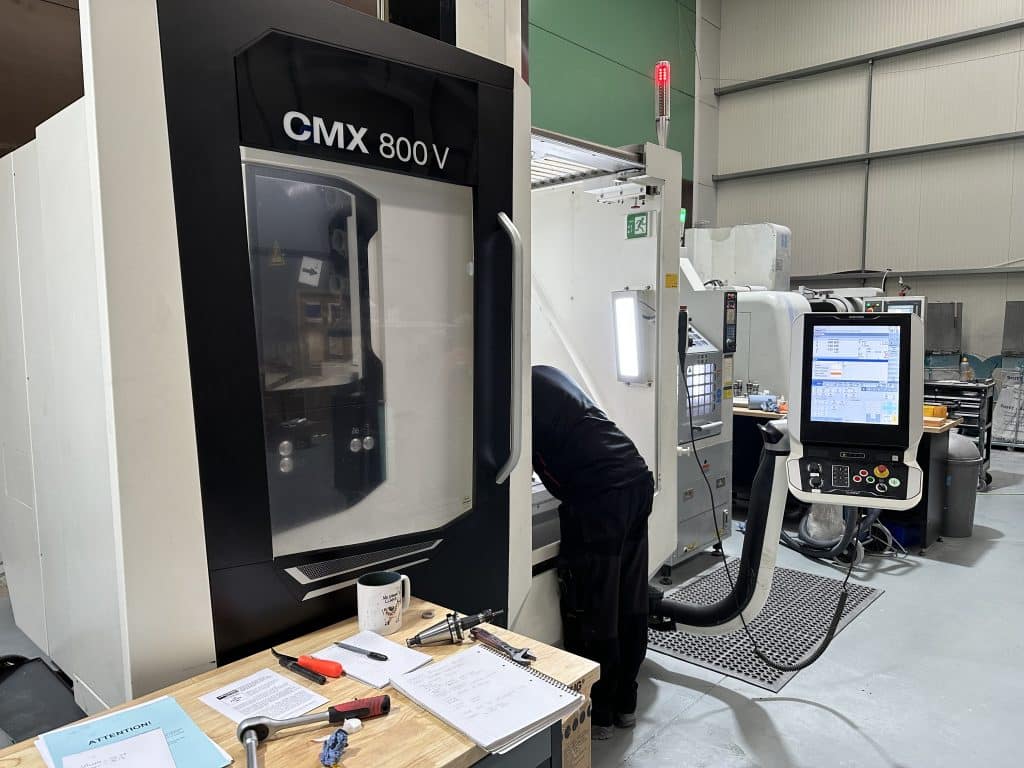
DMG Mori CMX 800 V review

This is definitely the iPhone of the CNC machine world.

Even the handwheel is sexy. Yes, I know.

I’ve reached the age where I’m describing a CNC handwheel as sexy. Things could be worse.

When You Know, You Know

Something that annoys me about modern CNC machines is the rigorous protocol you sometimes have to follow to do the simplest bloody thing.

This machine definitely has a few of those little rituals.

I think I now understand the expression:

“When you know, you know.”

Because until you know, you haven’t got a fucking clue.

I was genuinely excited about working with this beast.

That excitement lasted right up until I couldn’t get the handwheel to work.

Fortunately, I always allow plenty of time to get back into using a machine I haven’t seen for a while.

Partly because machines have their own quirks.

Partly because controls change.

And partly because my memory now works like an old Windows computer with twelve toolbars installed.

“Read More”

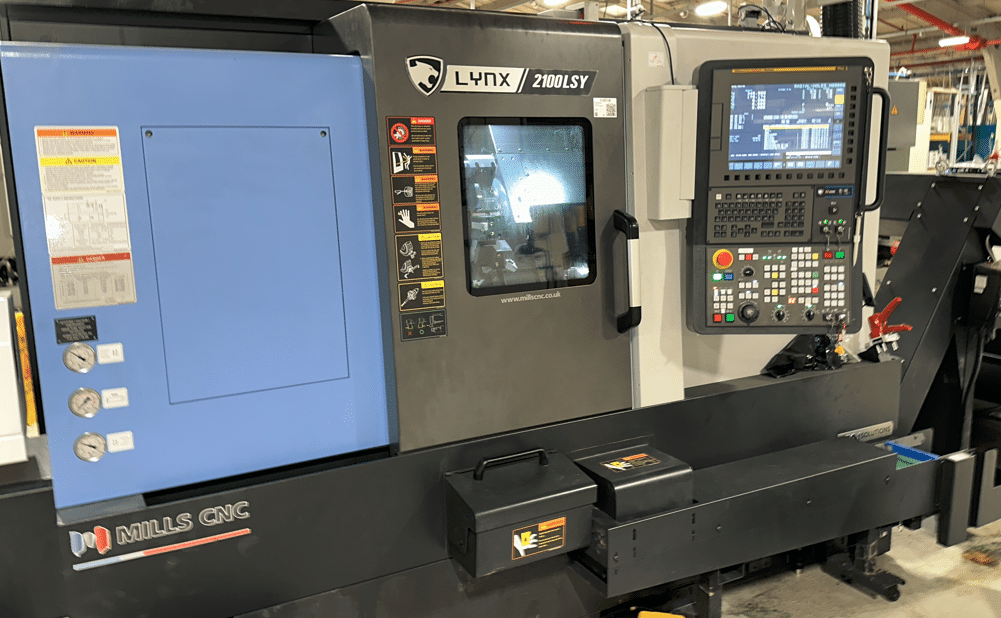
Doosan Lynx 2100 LSY

This week had loads of fun on Doosan Lynx 2100 LSY. Seems to be a very well thought out machine oh and they don’t skimp on the extras.

Not the simplest of machines to operate but once you get over it’s little quirks let’s face it we all have them.

I mean I keep scratching my bollocks but as long as its not in public or in front of the wife I usually get away with it.

Doosan Lynx 2100 LSY

This machine has one turret and two spindles both spindles have a rotary C axis. The Doosan Lynx 2100 LSY has a Y axis the clues in the title.

Most impressive of all is the 24 station turret which means you can be more tooled up than Arnold Schwarzenegger on his birthday.

Loads of driven tools.

There are half stations so you can get special holders that cover two stations.

The other option is to space the tools out like a twelve station turret.

I mean these tools are like elephants in a fuckin lift meaning you don’t have much clearance.

You need to look out for the tool below if you do decide to cram more tools in. If you know what it’s like to run out of tool stations then you won’t mind compromising a bit.

Congratulations Mr and Mrs Doosan on the Doosan Lynx 2100 LSY, it might be a compromise but it works well.

Fanuc Speed Amnesia

Why can’t a Fanuc control remember the speed.

Age old problem, you try to start the spindle in manual and it sits there fuckin laughing at you. So you have to go into MDI and start the spindle or just give it a speed before you can manually start any of the two spindles.

Speed amnesia so bloody annoying, come on girls give us a break. Logically if you have to start the spindle in MDI is there really any point of a manual spindle on off button. Mmmmm.

Icons I hate Icons

I can never remember what all the buttons are on these machines. What chance has someone who’s only experience of working a machine was in Costas

Anyway I have a labelling machine so I stuck em everywhere. Does it really cost that much money to have different button on a machine for an English speaking country than say a French one?

I could sell Doosan my labelling machine, maybe that’s the solution.

“Read More”

Fanuc CNC Parameter 14852, Fixed Form Character Length

Fanuc CNC controls include hundreds of parameters that quietly shape how the control behaves. One that often goes unnoticed—but can make a real difference to usability and program readability—is Fanuc CNC Parameter 14852, Bit 4.

This article explains what parameter 14852 bit 4 does, when you might want to change it, and what to watch out for before making any adjustments.

Shibaura Training

Call David: 07834 858 407

CNC Training Centre Reviews

30 five star ratings on Google


What Is Fanuc Parameter 14852 Bit 4?

Parameter 14852, Bit 4 controls the number of characters that can be displayed or entered in each fixed form field on supported Fanuc CNC controls.

When this bit is enabled, the control allows more characters per fixed form, effectively expanding the usable text length within those fields.

In practical terms, this means:

  • Longer text entries are possible
  • Descriptions and identifiers are less likely to be truncated
  • Fixed-form screens become more informative and easier to interpret

The exact behaviour can vary slightly depending on the Fanuc control series and software version, but the purpose of Bit 4 remains the same: increase character capacity per fixed form.


What Are Fixed Forms on a Fanuc Control?

Fixed forms are structured input screens used to quickly create program.

Typical forms:

  • Start of program
  • Call a tool
  • Call a cycle
  • End a program

I means the programmer does not need to memorise loads of G and M codes. The structures is created.

For more details on Fanuc macro variables and fixed forms, check our Fanuc Parameters that cover advanced control functions.


Why Increase the Number of Characters per Fixed Form?

Enabling Parameter 14852 Bit 4 can be particularly useful in the following situations:

1. Improved Program and Process Clarity

Longer character limits allow more information to be added in one keystroke.

2. Better Operator Understanding

Operators can see more meaningful descriptions without abbreviations, reducing the risk of misunderstandings on the shop floor.


“Read More”

Rads and Chamfers Fanuc Parameters 8134 3453

Category : Fanuc Parameters

Messing With Parameters Can Be Fatal!!!!!

To change parameters you need to go to the setting screen in MDI. Now put a 1 in the parameter write box.

Bits n Bobs

When counting the bits in parameters you count from right to left so the first one on the right is bit 0 or sometimes known as #0

Rads and Chamfers Fanuc Parameters. Today we are going to change the parameters that make ,R and ,C work this means you can program point to point and just stuff in some rads and chamfers as an afterthought.

Here’s an article on it if you want to use it

Fanuc have two ways of putting on chamfers and rads and that’s where the confusion lies.

Just do as you’re told (oh and read this article)

So in Parameter 3453 you can set bit #0 (CRD) to a 1 this allows what Fanuc call “Direct Drawing Inputs” to work.

Rads and Chamfers Fanuc Parameters

Also in Parameter 8134 set bit #2 (CCR) to a o

Rads and Chamfers Fanuc Parameters

Now don’t let the description put you off this turns on the crappy one that uses R and R- and K and K-. This only works on 90 degree corners and unless you won Mastermind I wouldn’t even try to understand how it works.


Trust me it’s shit

Anyway Rads and Chamfers Fanuc Parameters 8134 3453 all sorted!

Isn’t it just great to sort out those annoying problems?

If you want to learn about rads and chamfers on a Sinumeric Siemens 840D read this

Other Parameters Of Interest

1300 Stops over travel alarm

1401 Cutting Feed-Rate 0% stops movement of machine

3101 Clear Screen

3102 Unlock Programs

3203 Clear MDI Screen

3204 Unlock Program 9000 to 9999 and 8000 to 8999 to Edit

3291 Wear Offset requires Key to Adjust

3401 Calculator Type Decimal Point or Integer

3402 G Codes that are Active When The machine is Turned On

5003 Retain Geometry when you Press Reset

6005 Allows the Use of Local Subroutines (Newer Control)

6050-6059  Allows you to Call a 9000 series Program with a G Code

6080-6089 Allows you to Call a 9000 series Program with An M Code

8134 3453 allows you to use ,R and ,C (Rads and Chamfers)

That’s it away you go.

Oh just one other thing before you go off and cripple your machine forever.

Do yourself a favour take a picture of the screen before you change a parameter.

If you aint got a camera then you must have a piece of paper.

Even better back everything up.

Thanks

If you have been affected by any of the issues in this post or need CNC Counselling then contact me.

Or call us

If you want to learn to program CNC Milling Machines

Look no further Contact CNC Training Centre


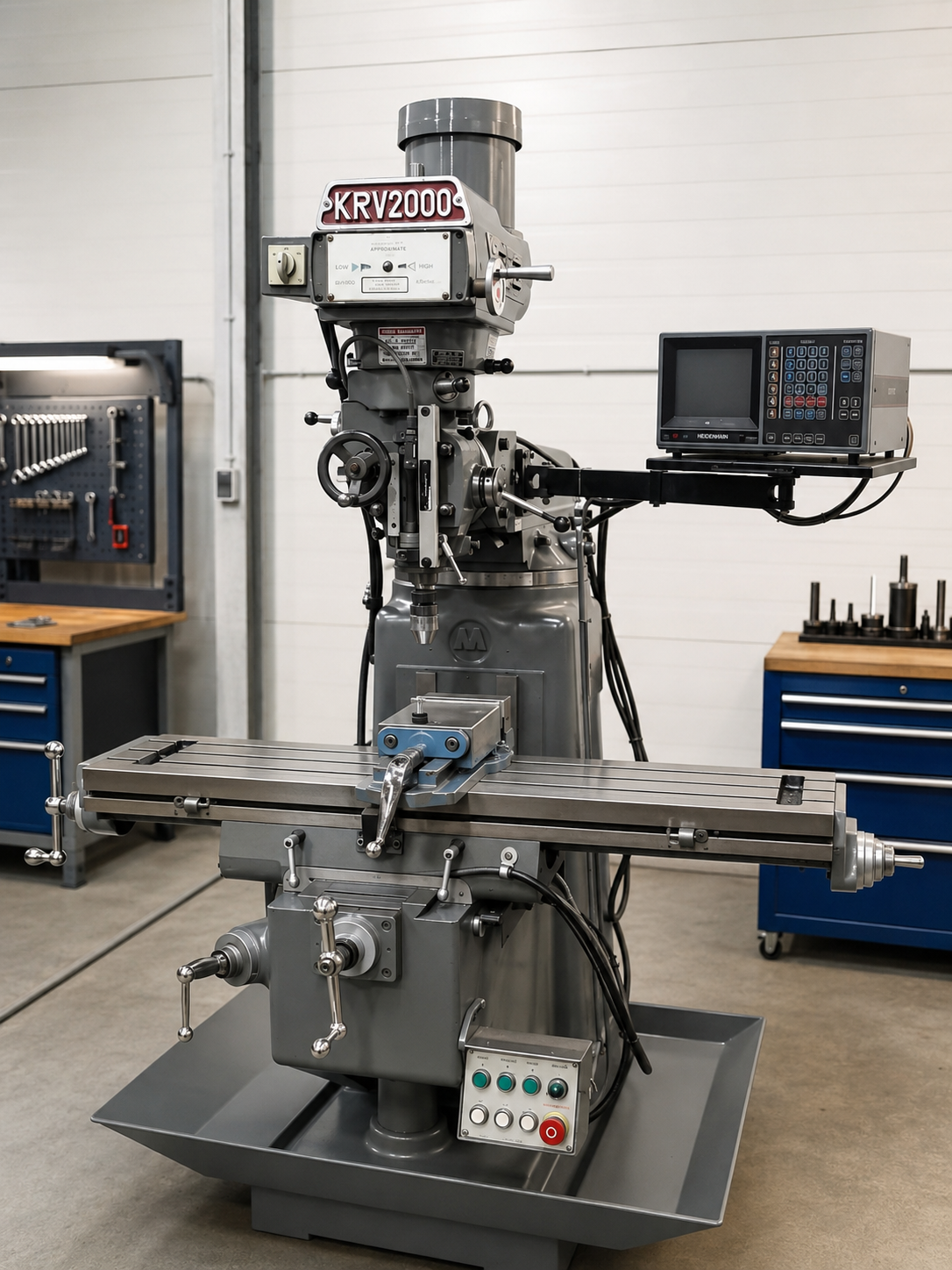
XYZ KRV 2000 Milling Machine

Tags :

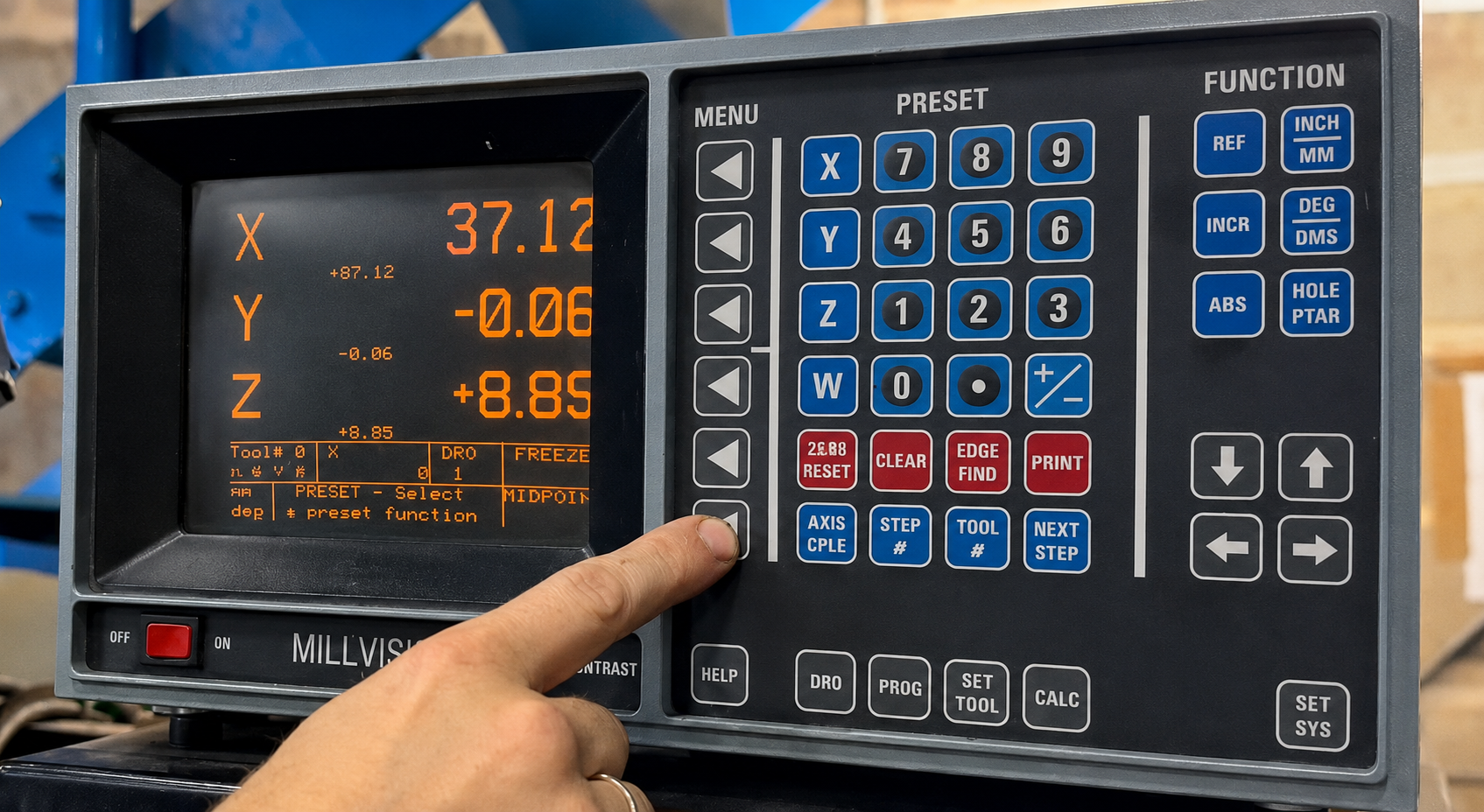
The XYZ KRV 2000 also branded as King Rich is what is commonly known as a turret mill it is an incredibly versatile machine. This machine can get into all the nooks a crannies that other machines can only dream of. It has an Acurite Mill Vision digital readout.

PLEASE READ THE SAFETY RULES AT THE END OF THIS ARTICLE

Access all areas, it’s a bit like the gynaecologist who repainted his hall through the letterbox.

My machine had the Acurite DRO this is the Acurite Mill Vision and for it’s age it still packs a punch as you will see later in the article.

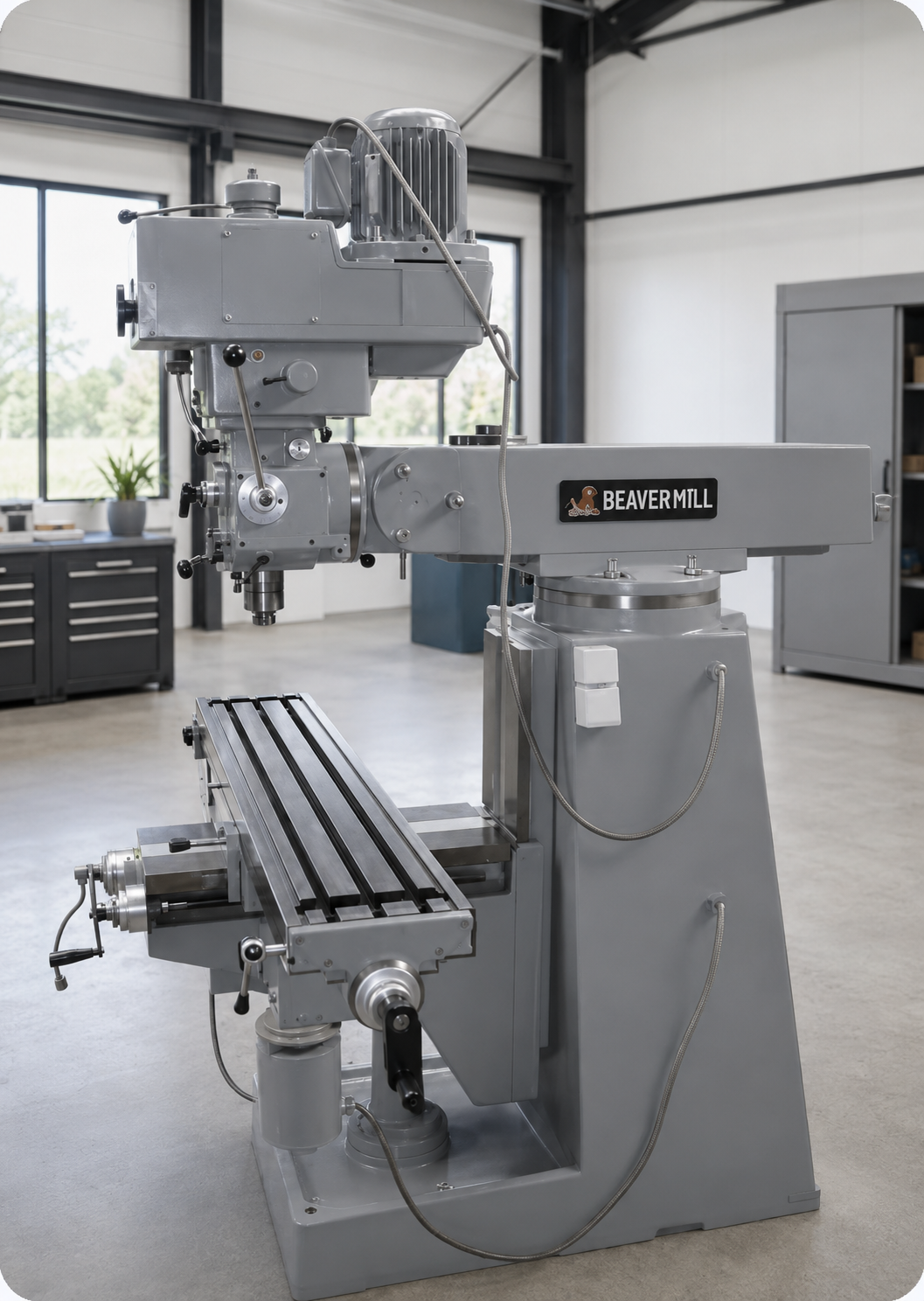
It takes me back many, many years, in fact 50 years. I actually worked on a what was known as a Beaver Mill. Mine was a Beaver Pal very similar to the KRV 2000, still a few Beavers out there.

Now, not without it’s sexual connotations it was an unfortunate name but I was proud of my Beaver, it was brand new.

At the company I worked for Sharnco Tools, you were rewarded with your own brand new Beaver once you became fully skilled and qualified as a toolmaker. You also got all new collets chucks and tooling.

Wow luxury. (Don’t let anyone tell you the 70’s were shit.)

Turret Mill

“Read More”

Careers in CNC

View all current vacancies in CNC

Click here

Call David: 07834 858 407