Month: August 2026

G130 Doosan Lynx 300M – Set the G30 Position

Category : New Stuff

G130 on a Doosan Lynx 300M – Setting the G30 Position
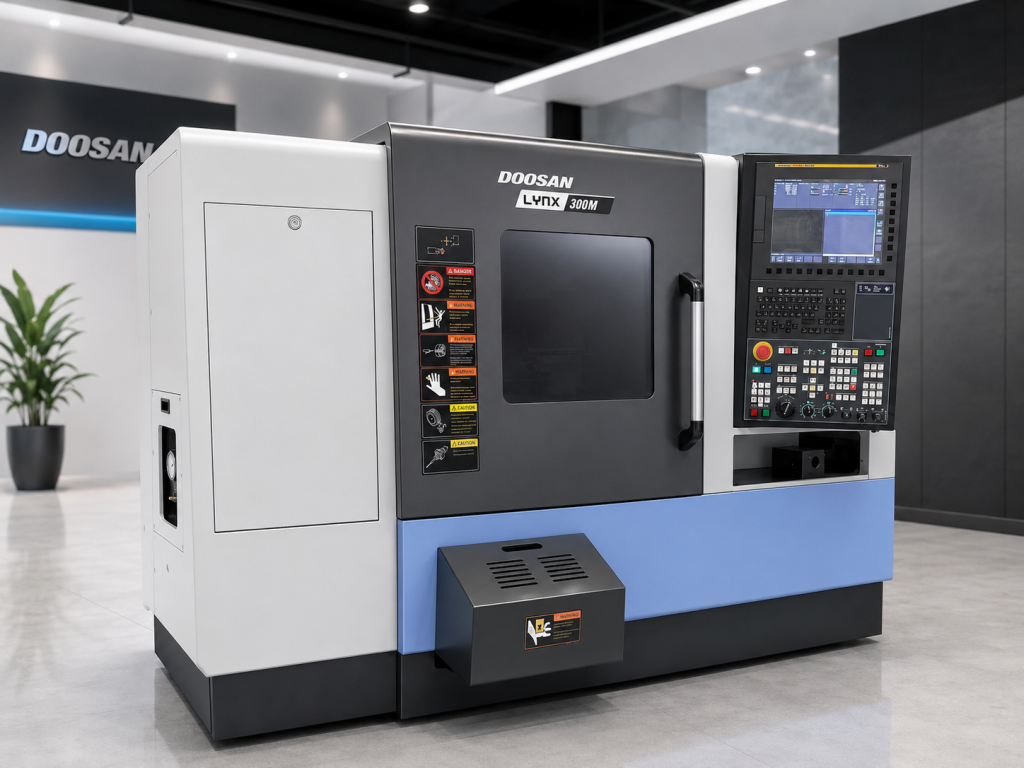
Doosan Lynx 300M G130

On a Doosan Lynx 300M, G130 can be used to set the machine’s G30 second reference position.

The interesting part is that G130 is not doing the work itself.

Read on if you are scared of fucking with parameters.

On this machine:

G130

calls:

O9019

This is done using Fanuc parameter 6059.

If parameter 6059 contains:

130

then G130 calls macro O9019.
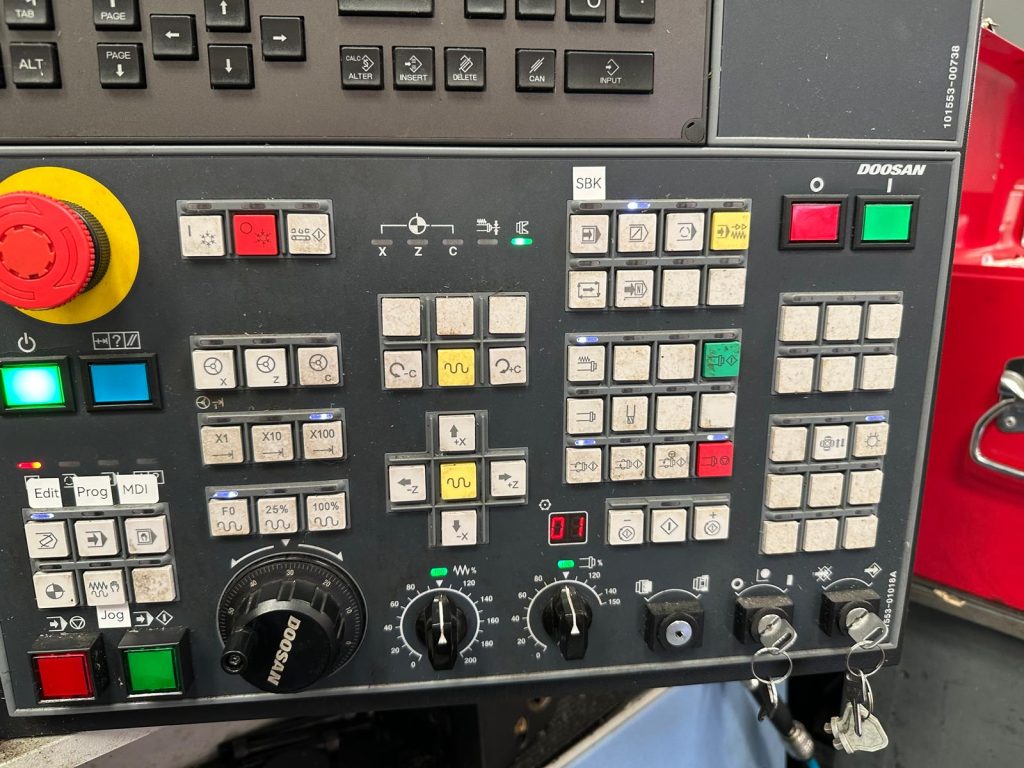
Doosan Lynx 300M G130

What Does O9019 Do?

The macro reads the position you added to G130 and writes it into Fanuc parameter 1241.

Parameter 1241 stores the second reference position, normally associated with:

G30 P2

So instead of manually entering the position into parameter 1241, you can enter it on the G130 line:

G130 X200. Z200.

Simple.

This is called a G Code Alias read about it here

How It Works

G130 X200. Z200.
↓
Parameter 6059
↓
O9019
↓
Your X200. Z200. position
↓
Parameter 1241
↓
G30 second reference position

Setting the Position

  1. Reference the machine.
  2. Jog the turret to the required position.
  3. Check that the position is safe.
  4. Record the existing parameter 1241 values just as a safety precaution.
  5. You could even take a screen shot.
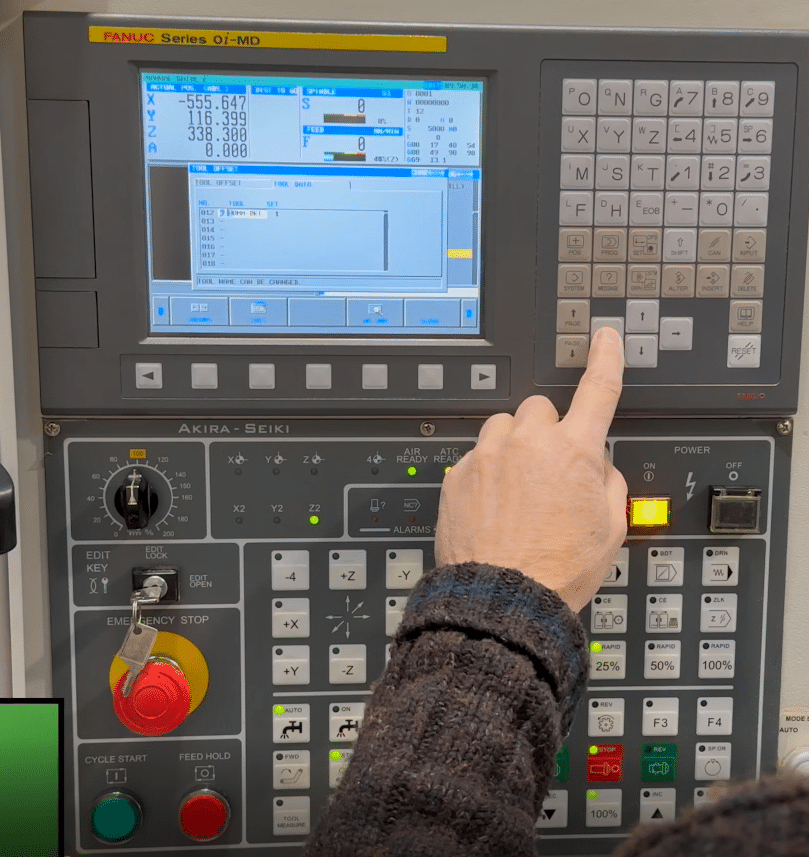
  6. Add you new position to G130 for example G130 X200. Z200.
  7. Check parameter 1241.
  8. Test the G30 move at a low rapid override.
  9. (G30 U0 W0)

Why Use G130?

It is quicker than manually typing coordinates into parameter 1241 and reduces the chance of entering the wrong value.

It also gives the setter a very simple command:

G130 X200. Z200. (set my G30 position here)

It’s Permanent

Yes it stays in forever unless you change it. Therefore you don’t have to keep writing G130 in a program if you always use the same position.

If you are scared of fucking with parameters then this is your answer. Change the G30 position and no one dies.

Important

G130 is a custom G-code alias on this machine. Do not assume it performs the same function on every Fanuc-controlled machine it will not.

This is a Doosan specific command. Now you know how you could add it to any machine, see end of article for full code.

Also, back up your parameters and macros before changing anything.
“Read More”

Onsite Doosan CNC Training UK – Hands-On Courses

Onsite Doosan CNC Training UK – Expert Hands-On Courses at Your Facility

In the competitive UK manufacturing sector, your Doosan CNC machines are key assets for delivering precision turning, milling, and multi-axis work. But to get the absolute best performance from models like the Puma series lathes, Lynx compact turning centres, or DNM vertical machining centres, your operators and programmers need targeted, practical skills.

Call David: 07834 858 407

32 Five Star Reviews

That’s where CNC Training Centre excels: we provide onsite Doosan CNC training right on your shop floor – no travel, no lost production time, just real results tailored to your exact machines and workflows.

Why Onsite Doosan CNC Training Delivers Superior Value

Doosan machines (now known as DN Solutions) have earned a stellar reputation in the UK for their durability, high-speed capabilities, FANUC controls, and versatility across industries like aerospace, automotive, medical devices, and precision engineering.

Yet the biggest untapped gains often lie in operator expertise.

  • Zero production disruption – Training happens where your team already works, using your specific Doosan lathes, mills, or multi-tasking centres.
  • Hands-on with your reality – Practice on your actual fixtures, tooling, programs, and materials – far more effective than offsite or generic simulators.
  • Fully customised sessions – From foundational operator safety and setup to advanced Doosan programming training onsite, live tooling, Y-axis, sub-spindle ops, probing, and cycle time reductions.
  • Quick, measurable ROI – Teams apply new skills immediately, slashing scrap rates, shortening setups, minimising errors, and increasing output.

Onsite Doosan CNC Training


Investing in premium Doosan machine training onsite empowers your workforce to fully exploit the reliability and innovation built into every Puma, Lynx, or DNM model – helping you stay ahead in a skills-short UK market.

What Our Onsite Doosan CNC Training Includes

Every course is built around your Doosan lineup and production goals. Core topics typically cover:

  • Safe operation, daily checks, and preventive maintenance
  • Rapid, accurate setup and workholding strategies
  • G-code mastery plus conversational and Manual Guide i programming techniques
  • Toolpath optimisation for turning and milling efficiency
  • Advanced capabilities: live tooling integration, multi-axis machining, in-cycle probing
  • Common troubleshooting on Puma CNC training onsite, Lynx Doosan training, DNM machining centre training, and similar models

Delivered by seasoned instructor with extensive Doosan experience, our sessions provide industry-proven insights you can trust.

Onsite Doosan CNC Training

Ready to Maximise Your Doosan Investment?

Don’t let under-skilled operators hold back your high-performance Doosan CNC machines. With Doosan CNC training from CNC Training Centre, you’ll see faster setups, better part quality, reduced downtime, and a more capable team – all without anyone leaving your premises.

Call David: 07834 858 407

CNC Training Centre Reviews

Your Doosan machines are built for greatness. Let’s ensure your team is too.

Expert onsite Doosan CNC training – practical, effective, delivered where it matters most.


CNC Programming Training

Category : New Stuff

Learn to Program CNC Machines with Confidence

Onsite Training Enquiry

CNC (Computer Numerical Control) programming is an essential skill for machinists, engineers, and manufacturers looking to improve precision, efficiency, and automation in machining. Whether you’re new to CNC or looking to advance your skills, these CNC programming training courses provide hands-on learning with real machines and industry-standard software.

Why Choose CNC Programming Training?

CNC machines are the backbone of modern manufacturing, used in industries such as aerospace, automotive, medical, and precision engineering. Learning CNC programming enables you to:

•Enhance Your Career – Skilled CNC programmers are in high demand across multiple industries.

•Improve Efficiency – Mastering programming techniques reduces setup time and increases productivity.

•Ensure Precision – Good programming minimises errors and improves part quality.

•Stay Competitive – Advanced CNC skills give you an edge in the job market and in manufacturing sector.

Contact CNC Training Centre

What You’ll Learn in Our CNC Programming Training

These training courses cover essential topics to help you become a proficient CNC programmer, including:

1. Introduction to CNC Programming

•Understanding G-code and M-code

•CNC machine setup and operation

•Basic programming structure

2. Advanced CNC Programming

•Tool path optimisation

•3-axis, 4-axis, and 5-axis programming

•Advanced cycles and macros

3. Mill-Turn and Multi-Axis CNC Training

•Programming for complex mill-turn machines

•Synchronising milling and turning operations

•Live tooling and sub-spindle programming

4. Hands-On Training with Real Machines

•Practical exercises on CNC mills and lathes

•Simulated programming and real-world applications

•Debugging and troubleshooting programs

CNC Programming Training

Who Should Enrol?

This CNC programming training is ideal for:

•Beginners looking to start a career in CNC machining

•Machinists and engineers wanting to enhance their skills

•Companies training staff to improve production efficiency

•Anyone interested in mastering CNC programming

“Read More”

How to program a CNC machine

David mobile: 07834 858 407


How to program a CNC machine

Should You Apply?

How to program a CNC machine

A Machinist who wants to program a Fanuc or Haas control.

Currently CNC operator.

An established manual machinists.

A mechanical engineering apprentice.

Learn to programme a CNC machine

Cost : 2 Days £600 Plus VAT

3 days £900 Plus VAT

CNC Training Centre Location:

CNC Training Centre
Unit 5, Konfidence Works
Barwell
Leicestershire
LE9 8GZ
England

The Course

  • What are Program numbers
  • (N) numbers
  • Using Sub Programs
  • G codes G0 G1 G2 G3
  • Drilling and tapping cycles G73 G81 G83 G84
  • (M )Codes
  • How to Program in Absolute or Incremental.
  • G54 to G59 G Codes for Offsets .
  • Length Offsets for tools.
  • Reference return using G28 or G53.
  • Tool Compensation Using G42 G41.

How to program a CNC machine


Apply Now

Simulation Software

  • Students will use their own workstation. These have touch screens and use machine simulation software.
  • Good news is that you get to practice everything you do as you progress.

How to program a CNC machine

Practical Examples

  • Everything you learn is then demonstrated on an actual CNC milling or turning Machine
  • Tons of examples and demonstrations.
  • Hands on use of real CNC Machines.

How to program a CNC machine

  • You will be able to program a CNC Milling Machine.
  • Drill and tap holes.
  • Mill simple shapes.
  • Mill pockets.
  • Check and edit programs.
  • Fully understand CNC Programs.

How to program a CNC machine Course

  • Memory Stick
  • Your Certificate of completion.
  • Hot drinks Tea and coffee.
  • Light lunch.

Apply Now

Call David: 07834 858 407

We reserve the right to cancel courses and will give a full refund.


How to Use FANUC Manual Guide i Engraving Doosan Lynx

FANUC Manual Guide i Engraving on a Doosan Lynx 300M

FANUC Manual Guide i engraving is one of those things that often looks more complicated than it really is.

Now I admit to having a few “issues” with Manual Guide i  but when it comes to engraving I have to admit it’s quire simple.

Not well explained, sorry I’m doing it again. Anyway once you get how it works and what it wants to know it’s easy

If you have a CNC lathe with a C axis and driven tooling, you can do much more than turn diameters and face components. You can mill flats, drill cross holes and engrave text directly onto the component.

Loads and loads of shit. So much fun without taking down your pants.

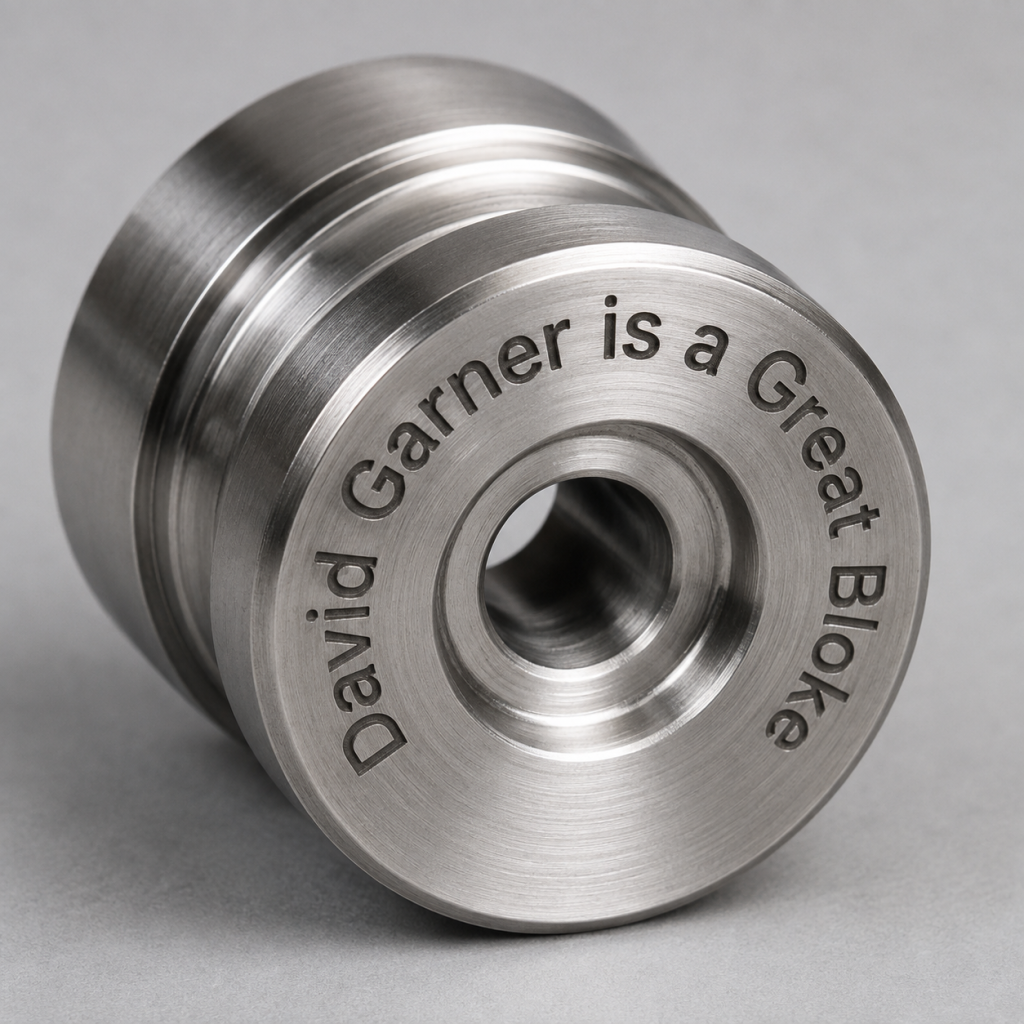
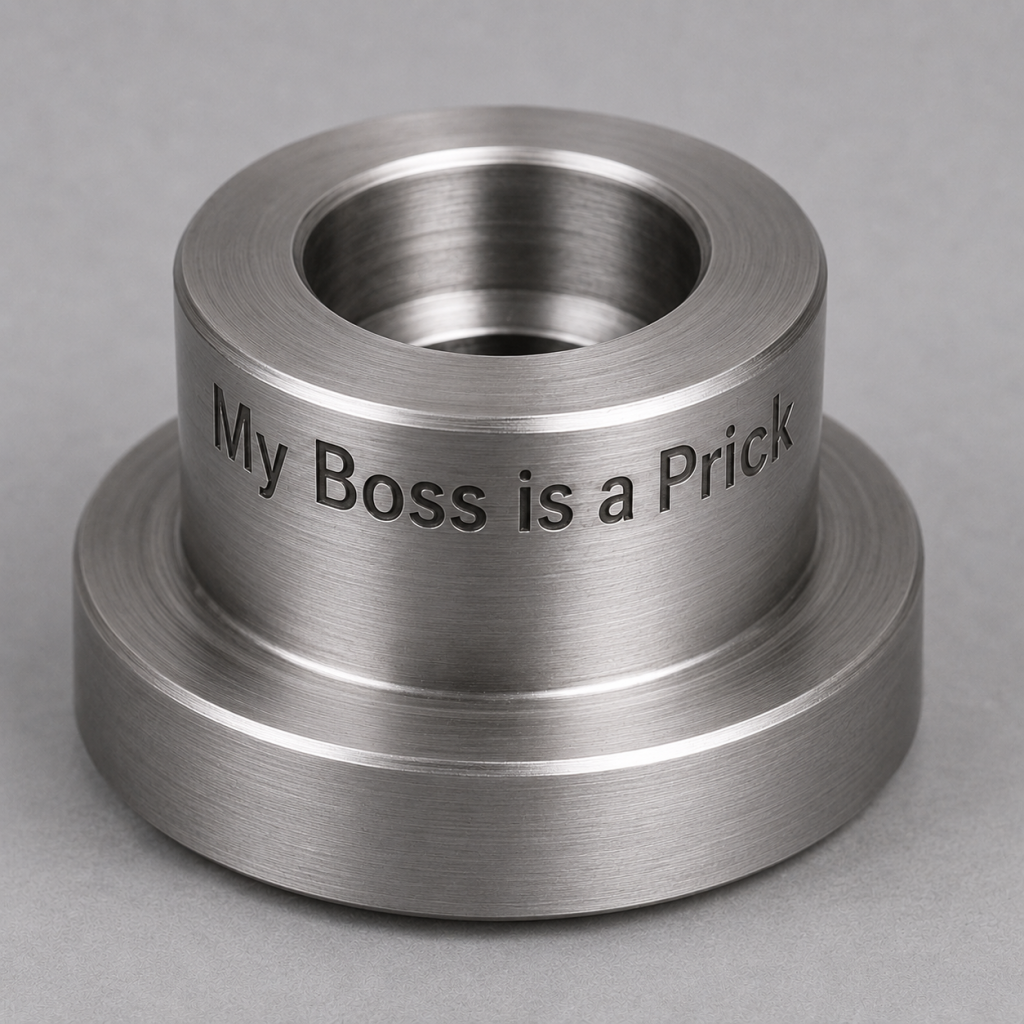
On the Doosan Lynx 300M, you can engrave on the front face of a component or wrap the engraving around its outside diameter. It can be straight across the front face or rotated around it.

FANUC Manual Guide i engraving

This type of C-axis engraving is ideal for adding:

  • Part numbers
  • Batch numbers
  • Serial numbers
  • Company names
  • Material specifications
  • Inspection references
  • Simple identification marks
  • And the most common which is rude comments to make your mates laugh

Manual Guide i makes the process quite straightforward. You can create the engraving conversationally rather than calculating and programming every individual movement yourself.

FANUC describes Manual Guide i as a conversational programming system for turning, milling and combined machining applications. You can read more about its capabilities on the official FANUC Manual Guide i website.

“Read More”

Careers in CNC

View all current vacancies in CNC

Click here

Call David: 07834 858 407