Haas products are constantly improving and developing. I love working with Haas because they actually listen to customers.
Every company claims to do this. We all know that some of the software and machines we use everyday have annoying faults that just never seem to be picked up on by the designers.
Anyway you all know I get pissed off about this if you ever read anything I write. Here is an example.
Did you ever work on a machine with a random tool-changer?
This is a CNC Milling machine that gets the tool out of the spindle and puts it back into the nearest pocket. Could be a Fanuc control Mazak control, Heidenhain. So when you look round the back of the machine at the pockets, the pocket numbers bear no resemblance to the actual tool numbers.
Anyway you go round the back of the machine and you see a tool you want. An M10 tap maybe. I want that M10 tap so I have to go all through my tool lists or whatever to find what tool number it is.
I hope you get me so far. So I find there is an M10 tap called T06 and I call it to the spindle. Oh dear there are two M10 taps and I got the wrong one. In real life I would probably say bollocks but I am trying to make these articles more classy by reducing the profanities.
G92 threading Cycle is something that concerns me. It’s sadly neglected. Now I know you’re probably saying “no one uses that old shit anymore”
Well you could be wrong.
G92 Threading works exactly the same as G76 except you need to programme every pass. This would be a pain in the arse but hear me out.
The Haas G76 cycle does not have any facility for a spring pass. This is where you add extra cuts at the end of a threading cycle to take out any metal left from the tool pushing off.
On a Fanuc control you can put these extra spring passes in as part of the G76 cycle.
Are you looking to maximise productivity and minimise downtime?
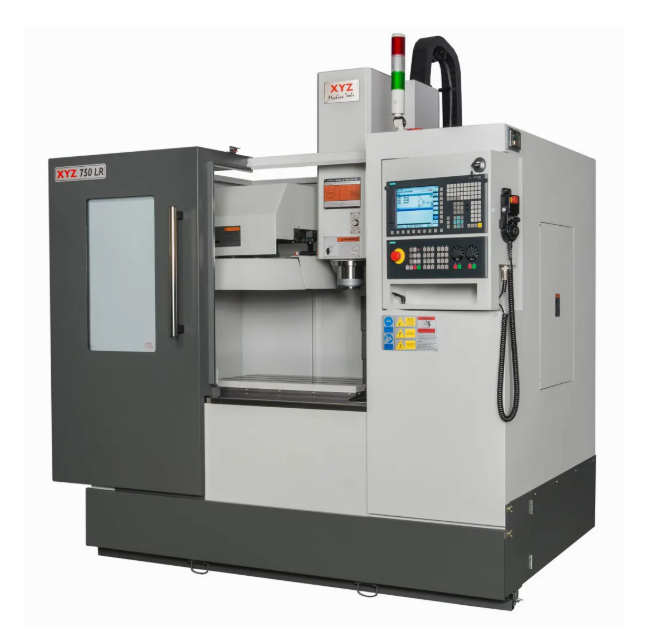
The key is an expertly trained instructor. We now offer convenient and comprehensive onsite XYZ machine training, bringing our expertise directly to your facility.
Forget the hassle of off-site training and travel expenses. Our trainer will come to you, providing your operators with a hands-on learning experience on the very machines they use every day.
The customised training programs ensure your team learns:
Safety best practices that protect your employees and equipment.
Everything you need to know to get the maximum from your onsite XYZ machine training
Investment
By investing in our onsite XYZ machine training, you are investing in your business’s efficiency and future. Our training program is a powerful way to ensure your operators are confident, knowledgeable, and ready to get the most out of your equipment.
Let’s Go
Ready to get started? Contact us today to discuss your specific onsite XYZ machine training needs and schedule a session for your team.
Heidenhain Work Offsets, traditionally the Heidenhain coordinate system was kept very simple. It was like the “Click and Collect” of the CNC World 20 years ahead of its time.
Anyway all you did was go to the place where you wanted as your offset and zeroed the display.
That was the datum and when you had a new part you just zeroed it again.
WARNING THIS POST CONTAINS STRONG LANGUAGE AND NUDITY FROM THE OUTSET
Easy….
Simple as Jack Shit.
It even had a self destruct button.
With this button you could really easily delete your program by accident.
I vividly remember having to lie and cheat my way out of that one.
Fortunately they moved it, well it’s gone anyway.
Now this button Wow….. Don’t even get me started. It was still there all those years ago.
Watch this if you can’t stand the intrigue.
I Digress
Back to Heidenhain Work Offsets
Nowadays everything is so complicated. I still can’t work the fuckin TV remote control and my central heating comes on in the middle of the night for no reason.
I just put the heating full up all the time now, admittedly the kids have to stay outside in the summer but I like to keep things simple.
Some People Are Never Satisfied
Not happy with one work offset everyone wanted six. Then it went crazy with extended work offsets some of you greedy bastards (and you know who you are) have 99. Come on that’s just CNC debauchery.
Limitations with old Heidenhain Work Offsets
Joking aside it did have its limitations. Anyway now you can have as many as you want.
As we all know everything nowadays needs to be backwardly compatible. (I don’t actually know what that means, I heard a bloke say it in the pub)
Anyway the new machines have to still do what the old ones did.
From this screen you can make an offset active.
Once this offset is active any subsequent position move will be in this offset.
In your program you need one of these.
The above would call Datum 3
Above would call Datum 9
This would take it back to Datun 0
Come on surely you get it now.
Heidenhain Work Offsets
The number (in this case zero) is the datum you wish to call. This would call the standard datum (can’t miss it it’s top of the list and it’s red)
Don’t forget this is modal so once selected the datum will be used all the time until you change it.
Now you have started using these datum you must have one at the beginning of each program. It’s a bit like taking out a mortgage (you can’t escape).
Obviously if you make it active in the datum table and then call a program. If that program has no datum call then it will use whatever’s there.
If you are affected by any of the issues raised in this post or need CNC Training or counselling then contact us.