Brother CNC machine training
Category : Brother
Brother CNC machine training on the TC 32B come to us at the CNC Training Centre
Call David: 07834 858 407

30 five star ratings on Google (just saying)
Brother Manual Mode
Brother produces a wide range of high-efficiency compact CNC vertical machining centres and multitasking machines, primarily from their acclaimed SPEEDIO series. These machines are known for their high speed, energy efficiency, and compact footprints.
This is part of a short series of posts on how to operate the Brother CNC TC 32 B
I must say I love these machine (he always says that, I hear you say). It’s like your children you love em all in different ways. Even if one of them is an absolute prick.
To turn on the spindle manually press SP CW

It starts up and goes green

Press your MANU COND button
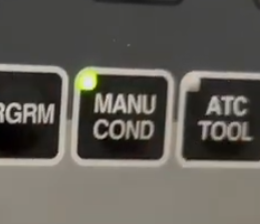
This will display


You can adjust the speed with these buttons
You will see speed change on screen
Handwheel Off
Note it’s important to switch off the remote handwheel in order for any of this to work. It’s a little punishment.

Brother CNC Machine Training, Index Pallet
This button will index the pallet, no need to move away the tool as it is built into the cycle. Well thought out procedure.

Brother Manual Mode Zero Return
This button will return all axis to zero, it always does Z first, so no panic there.
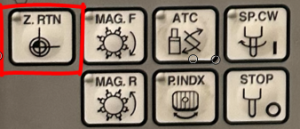
Using Jog, Brother CNC machine training
Press jog button will take you to the same blue screen

And the same buttons will adjust it.
They call it Low travel speed, mmm.

Incremental Jog Brother CNC machine training
This is a very underused function great for clocking in bores n stuff like that. Loads of people have this and never both ot even use it. Think of it as the sandwich toaster of CNC Machining.

Incremental jog is adjusted from the same screen, go ahead press it.
Each press will jog the machine in the selected axis by the amount you set.
Rapid Traverse
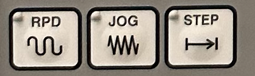
The rapid works the same way.
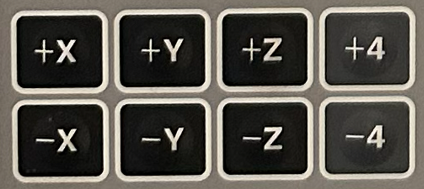
Use your X Y Z keys to Step, Rapid or Jog
More on Brother Manual Mode
The machine has a RELATIVE position display that can be zeroed. This is purely for manual use and the machine ignores it.

Press counter reset soft key. It’s yours, do what you want with it. It’s no one else business.
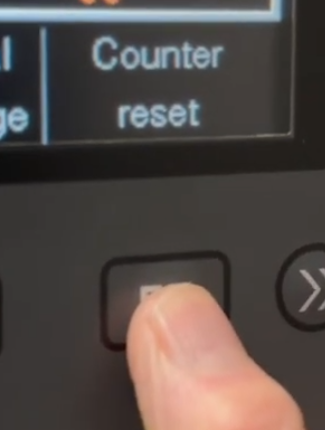
You can now move to each axis and zero it or press “Set all axis to zero” (F1 soft key)

CNC Training Centre can conduct all your onsite CNC Training