CNC Programming Training

Category : New Stuff

Learn to Program CNC Machines with Confidence

Onsite Training Enquiry

CNC (Computer Numerical Control) programming is an essential skill for machinists, engineers, and manufacturers looking to improve precision, efficiency, and automation in machining. Whether you’re new to CNC or looking to advance your skills, these CNC programming training courses provide hands-on learning with real machines and industry-standard software.

Why Choose CNC Programming Training?

CNC machines are the backbone of modern manufacturing, used in industries such as aerospace, automotive, medical, and precision engineering. Learning CNC programming enables you to:

•Enhance Your Career – Skilled CNC programmers are in high demand across multiple industries.

•Improve Efficiency – Mastering programming techniques reduces setup time and increases productivity.

•Ensure Precision – Good programming minimises errors and improves part quality.

•Stay Competitive – Advanced CNC skills give you an edge in the job market and in manufacturing sector.

Contact CNC Training Centre

What You’ll Learn in Our CNC Programming Training

These training courses cover essential topics to help you become a proficient CNC programmer, including:

1. Introduction to CNC Programming

•Understanding G-code and M-code

•CNC machine setup and operation

•Basic programming structure

2. Advanced CNC Programming

•Tool path optimisation

•3-axis, 4-axis, and 5-axis programming

•Advanced cycles and macros

3. Mill-Turn and Multi-Axis CNC Training

•Programming for complex mill-turn machines

•Synchronising milling and turning operations

•Live tooling and sub-spindle programming

4. Hands-On Training with Real Machines

•Practical exercises on CNC mills and lathes

•Simulated programming and real-world applications

•Debugging and troubleshooting programs

CNC Programming Training

Who Should Enrol?

This CNC programming training is ideal for:

•Beginners looking to start a career in CNC machining

•Machinists and engineers wanting to enhance their skills

•Companies training staff to improve production efficiency

•Anyone interested in mastering CNC programming

“Read More”

How to program a CNC machine

David mobile: 07834 858 407


How to program a CNC machine

Should You Apply?

How to program a CNC machine

A Machinist who wants to program a Fanuc or Haas control.

Currently CNC operator.

An established manual machinists.

A mechanical engineering apprentice.

Learn to programme a CNC machine

Cost : 2 Days £600 Plus VAT

3 days £900 Plus VAT

CNC Training Centre Location:

CNC Training Centre
Unit 5, Konfidence Works
Barwell
Leicestershire
LE9 8GZ
England

The Course

  • What are Program numbers
  • (N) numbers
  • Using Sub Programs
  • G codes G0 G1 G2 G3
  • Drilling and tapping cycles G73 G81 G83 G84
  • (M )Codes
  • How to Program in Absolute or Incremental.
  • G54 to G59 G Codes for Offsets .
  • Length Offsets for tools.
  • Reference return using G28 or G53.
  • Tool Compensation Using G42 G41.

How to program a CNC machine


Apply Now

Simulation Software

  • Students will use their own workstation. These have touch screens and use machine simulation software.
  • Good news is that you get to practice everything you do as you progress.

How to program a CNC machine

Practical Examples

  • Everything you learn is then demonstrated on an actual CNC milling or turning Machine
  • Tons of examples and demonstrations.
  • Hands on use of real CNC Machines.

How to program a CNC machine

  • You will be able to program a CNC Milling Machine.
  • Drill and tap holes.
  • Mill simple shapes.
  • Mill pockets.
  • Check and edit programs.
  • Fully understand CNC Programs.

How to program a CNC machine Course

  • Memory Stick
  • Your Certificate of completion.
  • Hot drinks Tea and coffee.
  • Light lunch.

Apply Now

Call David: 07834 858 407

We reserve the right to cancel courses and will give a full refund.


How to Use FANUC Manual Guide i Engraving Doosan Lynx

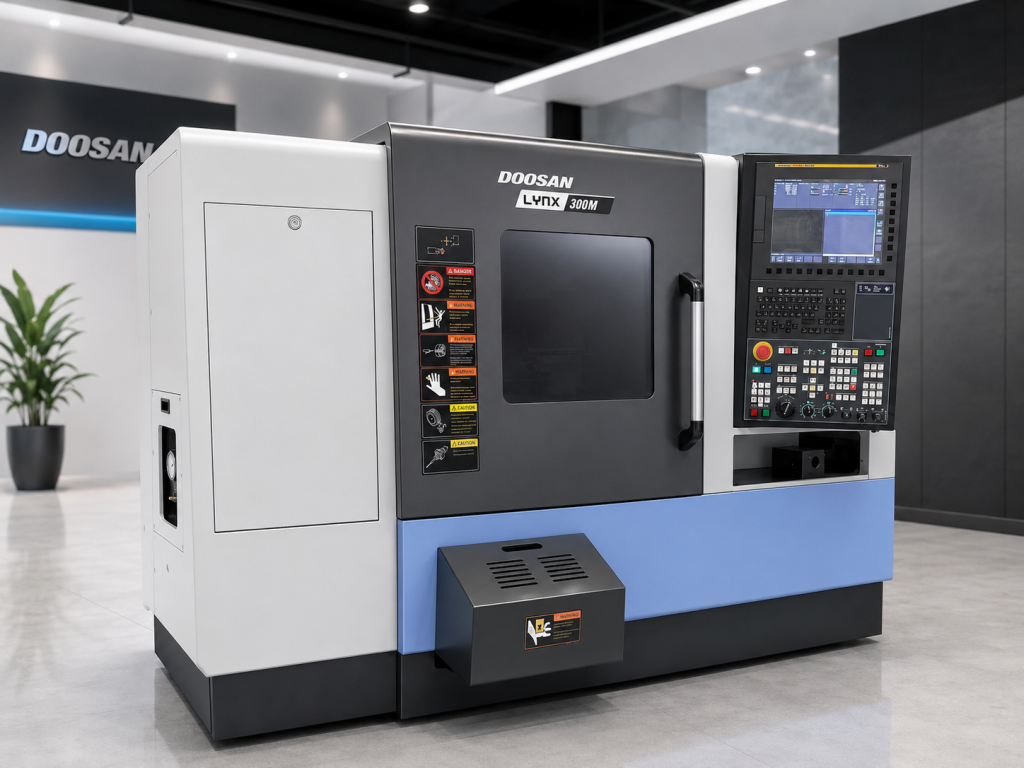
FANUC Manual Guide i Engraving on a Doosan Lynx 300M

FANUC Manual Guide i engraving is one of those things that often looks more complicated than it really is.

Now I admit to having a few “issues” with Manual Guide i  but when it comes to engraving I have to admit it’s quire simple.

Not well explained, sorry I’m doing it again. Anyway once you get how it works and what it wants to know it’s easy

If you have a CNC lathe with a C axis and driven tooling, you can do much more than turn diameters and face components. You can mill flats, drill cross holes and engrave text directly onto the component.

Loads and loads of shit. So much fun without taking down your pants.

On the Doosan Lynx 300M, you can engrave on the front face of a component or wrap the engraving around its outside diameter. It can be straight across the front face or rotated around it.

FANUC Manual Guide i engraving

This type of C-axis engraving is ideal for adding:

  • Part numbers
  • Batch numbers
  • Serial numbers
  • Company names
  • Material specifications
  • Inspection references
  • Simple identification marks
  • And the most common which is rude comments to make your mates laugh

Manual Guide i makes the process quite straightforward. You can create the engraving conversationally rather than calculating and programming every individual movement yourself.

FANUC describes Manual Guide i as a conversational programming system for turning, milling and combined machining applications. You can read more about its capabilities on the official FANUC Manual Guide i website.

“Read More”

CNC Help Beginners Operation Modes

CNC Help, this article is about the different modes of operation on a CNC Machine

CNC Help

Depending on what mode you are in

  • Zero Return
  • Jog
  • Handwheel
  • MDI
  • Memory/Auto/Full Run
  • Drip Feed/Tape
  • Edit

This determines what you can do on the machine.

CNC Help

Learn all this and more

Zero Return

So when we turn on the machine we would need to zero return the machine. What is Zero Return you ask?

Well when you switch on the machine it’s a bit like when you wake up the next day after drinking a whole bottle of whisky.

First thing you think is where am I? Then the memories flood back of how you were dancing naked on the bar.

A CNC machine is much the same (except they don’t piss in a complete strangers cupboard). So you need to let the machine know where it is.

We move the machine back to it’s zero position and on the way it triggers a dog which is like passing over a button. This tells the machine where it is.

You’ll notice it slows down as it passes over this dog. That gives it time to sort itself out.

No dogs were harmed to create this post

Not a real dog you turkey that would be cruel I mean a switch.

You only need do this when you first turn on the machine. After that the machine always knows where it is.

Jog

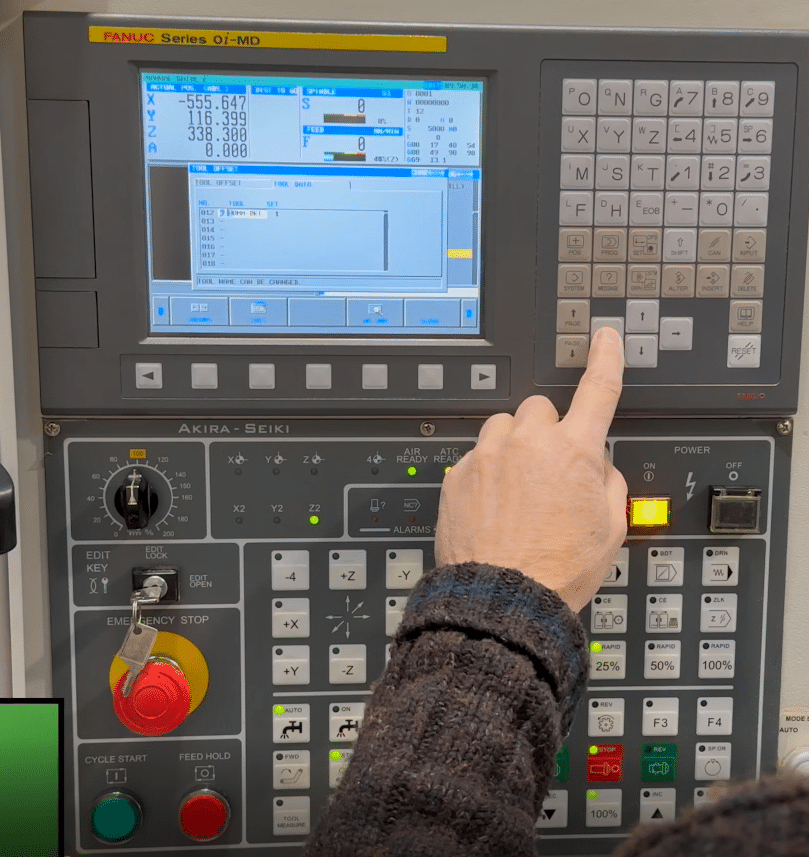
Jog what’s Jog? Well in this mode you will have an X Y and Z buttons.

CNC Help

You will also have a feed control potentiometer.

(A twisty knob to you)

It’s like when you turn the music up.

CNC Help

This determines how fast your axis will move when you press X Y or Z in the plus or minus direction.

This very often has a rapid button that you can hold in to make the moves really fast if you really want to shit yourself.

So you can use this to move your axis around. You could even use it to drill a hole or face mill a part.

CNC Help Hand wheel


CNC Help

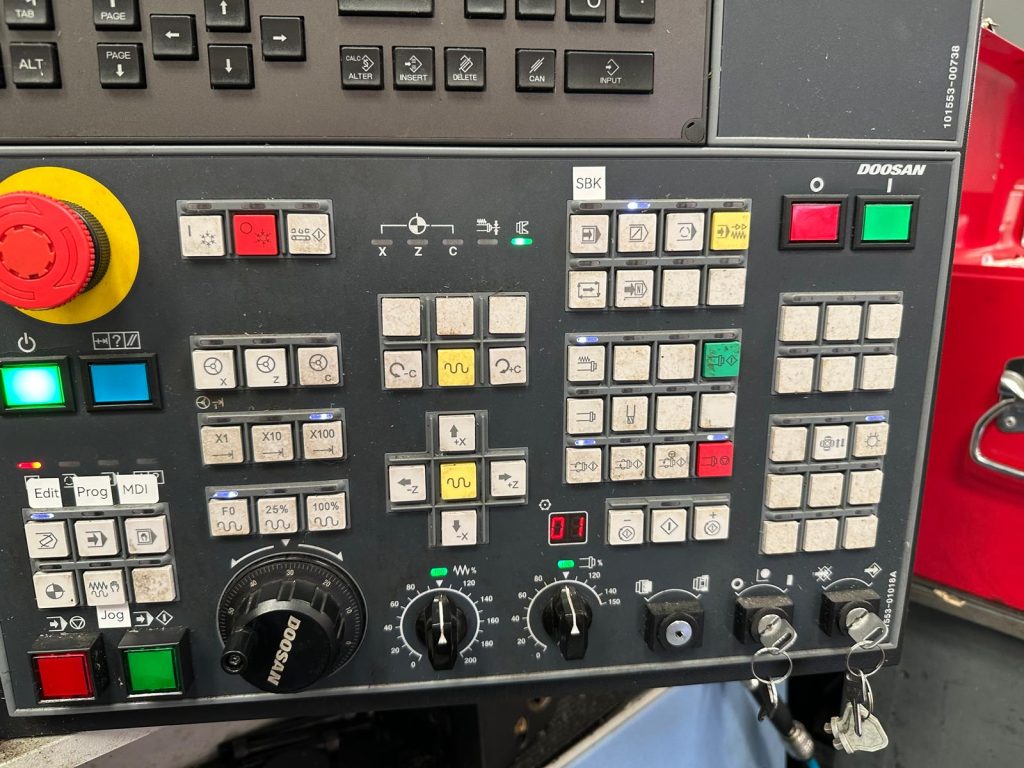
When you use the hand wheel you would normally be required to select an axis and an increment as below.
CNC Help

If you selected the X axis and an increment of 0.1 then each click of the hand wheel will move the X axis 0.1mm.

The hand wheel always reminds me of the robbers cracking the safe in the old movies.

Again you can use the handwheel much like jog to get the machine in the position you want and maybe drill a hole or something.

Haas handwheels have a really course setting like 1mm a click so beware!! But it’s great for quickly getting around the machines.

Also beware of over-run, because some Haas Toolroom Machines will carry on after you finished turning the hand wheel!!! Holy shit batman.

Just remember that these articles are designed as general guidelines as machines will vary.

If you use the analogy of driving a car then it’s like borrowing your mates car. It will definitely have lights and indicators. You just got to find where the switches and buttons are.

Got this off ebay only 5000 quid

Incremental Jog

Just thought I’d add this in. Some machines have an incremental jog and I suppose it’s a bit of a combination between handwheel and jog.

You select an increment and each time you press the axis button (XYZ) the machine feeds that amount.

Very useful for clocking in bores and stuff like that. Personally I like the idea and if I worked on a machine with this I’d be using it.

Read the manual and get the most out of your machine.

Safety

It’s important to remember that handwheel and jog can usually be used with the door of the machine open. They may seem gentle and there’s not much noise going on.

Please note you are using the full power of the machine and if your hand is in the way the handwheel will not stop.

MDI

Remember that these modes may have slightly different names but all CNC machines will have them.

Like on some Siemens controls MDI is called MDA (don’t google that one!!!)

Manual Data Input (I suppose it’s kind of self explanatory).

It’s just a way of writing little short bits of CNC code and it’s normally automatically deleted after use.

You could use this for things like doing a tool change or starting the spindle.

Almost anything that you would put in a program can be done in MDI.

It is usually used once and thrown away, not really environmentally friendly single use program.

CNC Help

Most controls have a way of converting this MDI program into a permanent one to keep in memory. Fanuc uses program O0000 for MDI and it’s a bit like a clipboard. You can change this program O0000 to a real program number like O0001.

There is also a parameter you can change that makes the program stick around after you used it.

Some operators only use MDI for tool changes so you might want to keep the code  there for whenever you need it.

Moan Moan Moan

On a Fanuc control you have to put an EOB (end of block or semicolon) at the end of the line of code to make it work. Otherwise you get an alarm. Drives me bonkers.

Digital punishment

Memory/Auto/Full Run

This mode can have different names but it’s the mode where you get to run your programme.

After selecting the programme you want to use select this mode.

When you press cycle start the programme will run.

CNC Help

You can run your programme in single block

And that red button at the side there is feed hold, it will halt the programme movement but it won’t usually stop the spindle from rotating.

Drip Feed/Tape

This mode is usually for running direct from a Memory Card or PC and it varies from machine to machine. Some will run direct from a floppy disc.

It is for those massive programs too big for the machine memory. Some really old machines will even run a paper tape.

Drip feed is a bit like lying under a beer tap and slowly getting pissed.

Anyway you don’t need to worry your pretty little head about that one at the moment.

Picture of a floppy disc for our younger viewers.

Let’s get on to the interesting shit.

CNC Help Edit

Edit well it’s kinda when you edit….

Yes it’s when you alter the program. In the edit mode you can look at any of your programs stored in your machine and Edit them.

There are massive differences in what you can do depending on your CNC control.  Don’t get me started on this one cos I think CNC Machines have been in the stone age on this one for years. Now I’m not going to mention names but even simple things like copying programs can be an absolute piece of shit.

So if your used to the power of editing on a PC get ready to go back in time. Most new machines are pretty good on this now but it’s taken a long time and I still find it really convoluted and counter intuitive. (I don’t know what either of those words mean).

CNC Help

Here is a short video on how to copy and paste on a Fanuc 18i it’s very similar on most oldish Fanuc controls. (Excuse the long intro on the video but I am trying to flog records as well here).

Oh and if you want to copy a program on an 18i Fanuc view this one.

Editing in its simplest form is INSERT ALTER and DELETE.

CNC Help

These are self explanatory but I have put a nice little gif above just to hold your attention.

Most modern controls will have FIND and REPLACE. It is well worth learning to use this because it guarantees that you don’t miss any figures in your programme.

Like if you had X57.65 in your program six times if you use FIND/REPLACE to change em all to X57.66.

You are sure to catch them all and you can be sure they are all accurate. Even if you altered em to the wrong figure at least they will all be the same.

Click here if your interested in training with us.

Or just get in touch.


DMG Mori CTX

Category : New Stuff Siemens

DMG Mori CMX 800 V Review: The iPhone of CNC Machines

This is my honest DMG Mori CMX 800 V review, written after getting back behind the control and remembering all the little rituals this machine expects you to know.

This machine is gorgeous.

The first time I saw one was at the NEC quite a few years ago. I remember looking at it and thinking:

“This thing is beautiful.”

To me, it brought CNC machines properly into the 21st century.

DMG Mori CMX 800 V review

This is definitely the iPhone of the CNC machine world.

Even the handwheel is sexy. Yes, I know.

I’ve reached the age where I’m describing a CNC handwheel as sexy. Things could be worse.

When You Know, You Know

Something that annoys me about modern CNC machines is the rigorous protocol you sometimes have to follow to do the simplest bloody thing.

This machine definitely has a few of those little rituals.

I think I now understand the expression:

“When you know, you know.”

Because until you know, you haven’t got a fucking clue.

I was genuinely excited about working with this beast.

That excitement lasted right up until I couldn’t get the handwheel to work.

Fortunately, I always allow plenty of time to get back into using a machine I haven’t seen for a while.

Partly because machines have their own quirks.

Partly because controls change.

And partly because my memory now works like an old Windows computer with twelve toolbars installed.

“Read More”

Careers in CNC

View all current vacancies in CNC

Click here

Call David: 07834 858 407