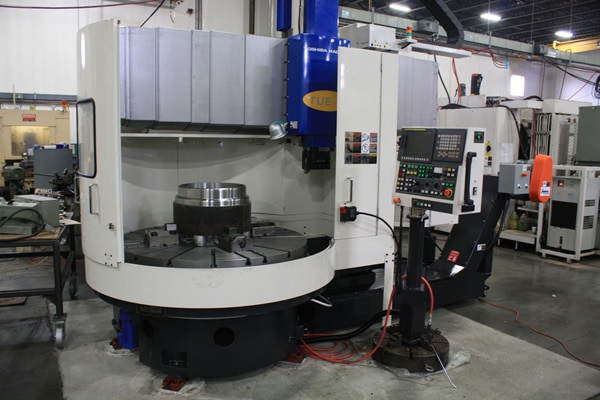
G50 in a turning program is a speed clamp. The machine accelerates up to the speed you set (G50 S2000) and will not go any faster.
Now before I get arrested by the “Correct Word and Grammar Police” I know it’s not actually a clamp. The truth is it’s just what everybody calls it, so get off my fuckin case.
Black dog his name is Boris
Anyway if I start to call it something else all my CNC mates (and I do have some) will be confused.
Just check me out on LinkedIn. Anyway as I was saying my mates wouldn’t know what the fuck I was on about.
You must program a G50 before each tool and at the beginning of the program for safety reasons which I will explain later.
It’s Modal
G50 is a modal G code (it stays active). If you have a program where you do not want to clamp the speed you must still put the G50 at the beginning of the program (set the clamp to the machines maximum RPM).
Otherwise it may pick up the G50 from the last program and you may not get the RPM you want. It can have the effect of slowing down production because the speed is being restricted and you didn’t realize.
Don’t use someone else’s G50 get your own.
You wouldn’t wear someone else’s dirty pants. (Americans call underpants underwear I think)
These are mine (sorry I din’t get time to wash them).
Historically G50 was used to set the machine datum. This still works so do not put any X or Z figures on this line. You will get some weird shit happening if you do. Oh and you will probably trash your 100 grand machine.
Anyway how to use G50 on a CNC lathe
G50 S2000 (SPEED CLAMP 2000 RPM)
Some G code systems, or depending on parameters, may use G92 instead of G50. This is not very common but it works exactly the same way.
On a Fanuc control they are called A type and B type G codes and depends on machine tool builder. Most of the G codes remain the same but proceed with caution.
It is particularly useful when you are facing a part using G96 (constant surface speed). When the tool reaches the centre of the part the machine will be running at maximum RPM. This could be very dangerous on large or out of balance components. When you set a G50 speed clamp, once the machine reaches the clamped speed it will go no further.
This article is about using G10 on a CNC Lathe to set the work shift or work zero offset as it is known on a Haas control.
If you have ever used Mazak machines you will know that when you call a program the work offset is kept with it.
Obvious really……
I mean if you were teaching your dog or your cat to program a CNC Lathe and you told him that he had to reset the workshift every time he called a new program what would he say.
I mean nothing really but he’d probably give you a strange look.
But you can do it on a Fanuc control or on a Haas control.
You just put this………………….
G10 P0 X0 Z-98.1
So you would put that at the head of your program and it would change the work shift screen as above.
Advantages
No need to set workshift everytime.
Automatically sets X figures so there’s no chance you could alter it by accident.
Well there is a slight catch.
It’s obvious really but from now on you can only change the workshift from the program.
If you altered it on the workshift screen it would just change back when you run the program.
Now I know your not stupid enough to do that but I bet the bloke on nights is.
On a CNC lathe G96 is used for most machining. It was amazing in the old days when we suddenly discovered G96.
Because you are using a constant surface speed the metal cutting is consistent so you get a great finish.
The Black Art Of CNC Programming
CNC Programming was a bit of a black art back in the old days and generally speaking we used G96 for everything except for screw cutting and drilling holes on centreline (G74 Drilling Cycle).
When CNC Programming a drilled hole you would always use G97, (this means the speed is in RPM).
If you were to program for example G96 S50 M3 and then rapid to X0 and Z3. ready to drill a hole the machine would just go to its maximum RPM. This would be the speed you set in your G50. (The G code used to restrict the speed.)
Oh by the way that 50 meters per minute is for a B & Q drill.
Don’t get me wrong I love B & Q products but HSS drills are not for grown up engineers they are great for metal work classes at school and making a coffee table for the misses but it’s time to join the big boys and spend some money.
I Digress
Anyway the machine would calculate the speed at its current diameter. So at zero the spindle would always be flat out.
So you could say G96 is pretty useless for a drill.
But you would be wrong!!!!!!
Take a look at this bit of code.
The idea is to send the machine to the drill diameter. Because the machine is in G96 it calculates the correct speed. When you then issue G97 it fixes the speed. Now when you move to X0 it has the correct speed.
Let The Machine Do What It’s Good At
Mmmmmmm… So all you need to do is send the drill to its diameter and the machine does the arithmetic.
Let the machine do what it’s good at and you do what you’re good at.
What are you good at by the way?
Threading is the same if you were machining an M20 thread at 100m/min calculate the surface speed.
(This is the quickest way I have seen)
20/314.2 =.06365
100/.06365 = 1571 RPM
You could do the same thing let the machine do it’s shit.
Rapid to the diameter of the thread then program G96
G0 X20. Z5.; G96 S100 M3 (Start Spindle at 100 metres per min);
; G97 (This will swap to RPM and clamp the speed at the correct RPM); X21.;
; G76 P010060 Q20 R.02; G76 X16.93 Z-25. P1534 Q485 F2.5;
;
ETC
So with this bit of code you can get the machine to calculate your speed.
Thanks for watching and reading
If you have been affected by any of the issues in this post or need CNC Counselling then contact me.
Or call us
If you want to learn to program CNC Milling Machines
This program will rapid to X66. Z3. it will then machine the face down to Z0 in three cuts. The first G94 line tells it to face past centreline to X-1.6 at a feed-rate of F.2 The Z axis moves to Z2.
Cuts
1: Z2.
2: Z1.
3: Z0
The cycle stays in the control until cancelled by a G0 rapid command.
So it remembers exactly what you told it, a bit like my wife, she keeps reminding me of the time I got so hammered I pissed in her wardrobe (some of the shoes still smell to this day).
The G0 G28 U0 W0 will move the turret back to machine reference point.
The G0 will cancel the G94 Facing cycle.
G94 Facing Example Is It Any Good?
Well personally I think it is.
Now I’ll tell you why. You could say it’s really easy to write the program to face a part.
G0 X50. Z0 G1 X-1.6 F.2 G0 X50. Z2.
So that’s easy to do but….
Some one wrote a comment on one of my posts the other day and he started it by saying “back in the real world”.
Can’t lie and say it didn’t piss me off but being the mature well balanced man that I am I ignored it.
Now my inner nasty, immature, unbalanced me said “look mate I was in the real world when you were still shitting yellow”. Obviously I didn’t post it and if your reading this now thinking it’s you, well it isn’t.
Anyway as to the G94 Facing Example
In the “real world” you get to the end of the batch of parts and find that one of them is way too long and you need to face a shit load off the front.
Now had you used the cycle as below and got into the habit of always using it.
G0 X50. Z3. G94 X-1.6 Z0 F.2 G0 G28 U0 W0
The alteration would be really easy.
G0 X50. Z12. (Imagine You Have An Extra 12mm On the Face) G94 X-1.6 Z10.5 F.2 Z9. Z7.5 Z6. Z4.5 Z3. Z1.5 Z0 G0 G28 U0 W0
Rapid Move Cancels G94
Note don’t forget you must have the G0 rapid move at the end to cancel the G94.