In order to run or edit a program on a Fanuc control you first need to make it active. On a Fanuc control you are editing in real time so you don’t need to save your work. Unfortunately any edits you make are permanent.
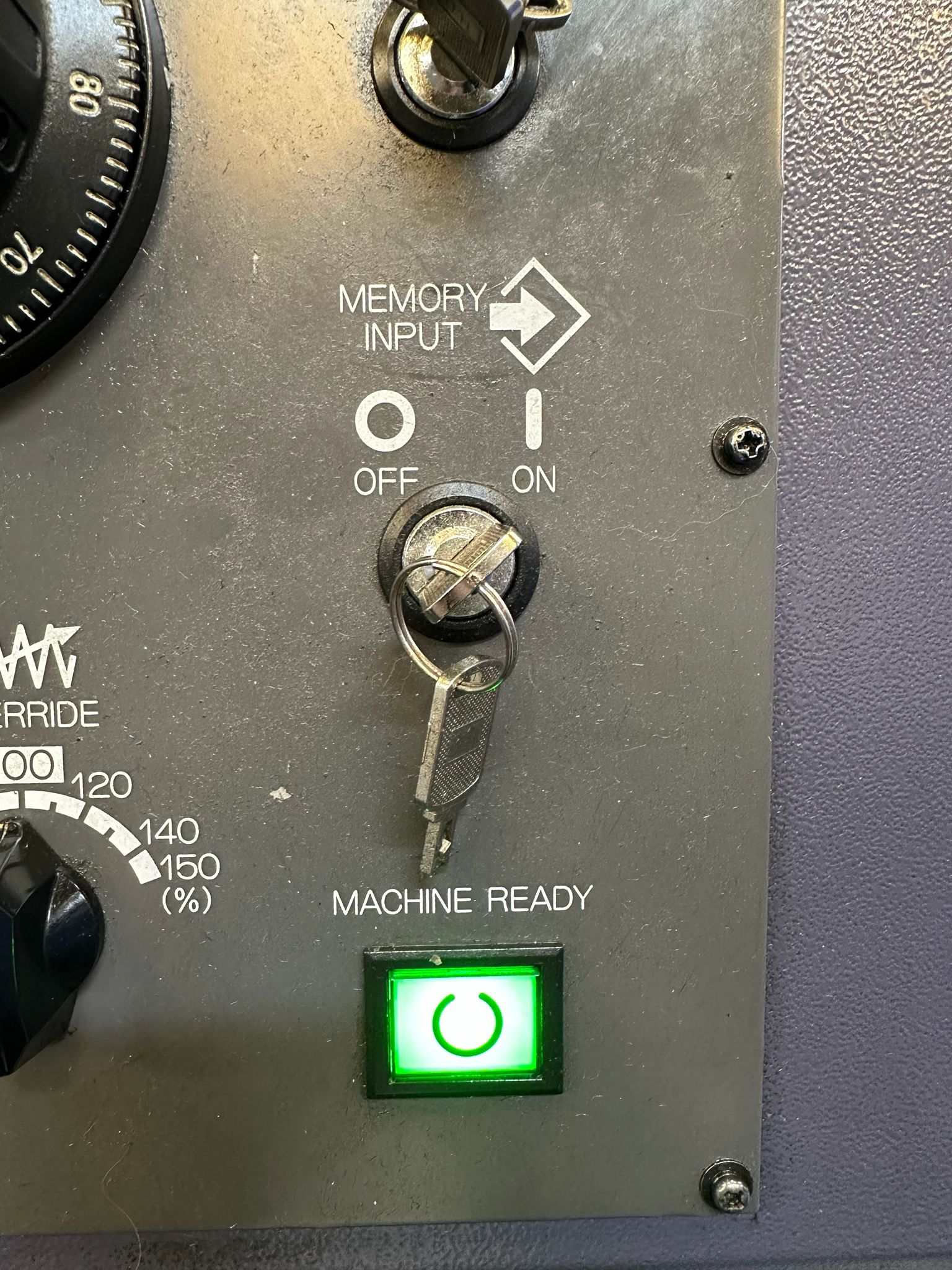
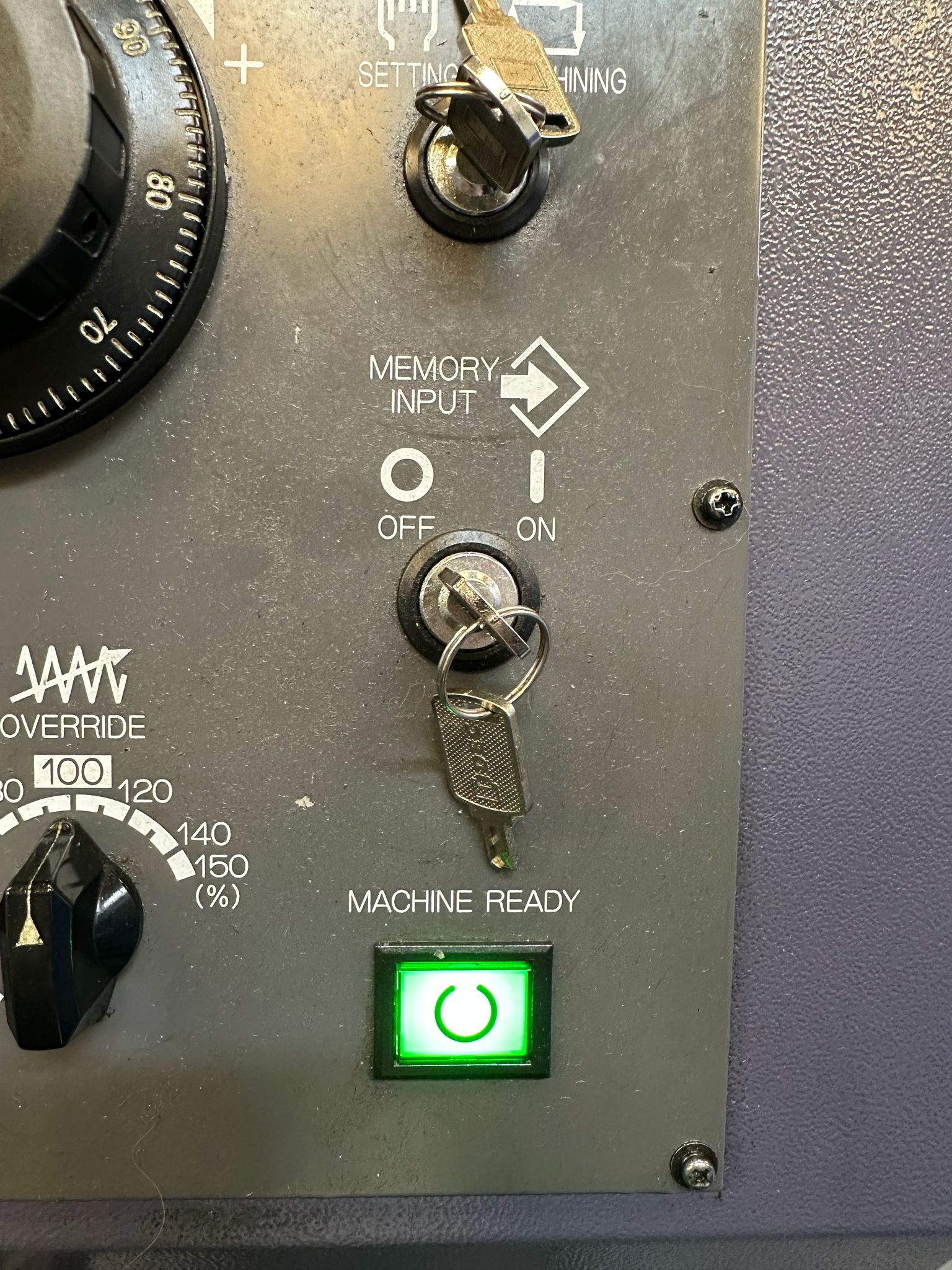
You will need your keyswitch in the on position to allow any kind of editing
In the off position below you will not be allowed to edit
This step-by-step guide shows how to Make a Program Active Fanuc 0i-TF control, specifically on a **Star SB-20R Type G** sliding head lathe, which uses a dual-path (two-channel) setup.
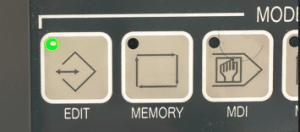
First of all you need to be in the EDIT mode.
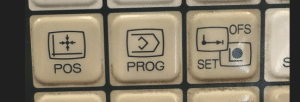
Press PROG to view your program.
How to Make a Program Active Fanuc 0i-TF
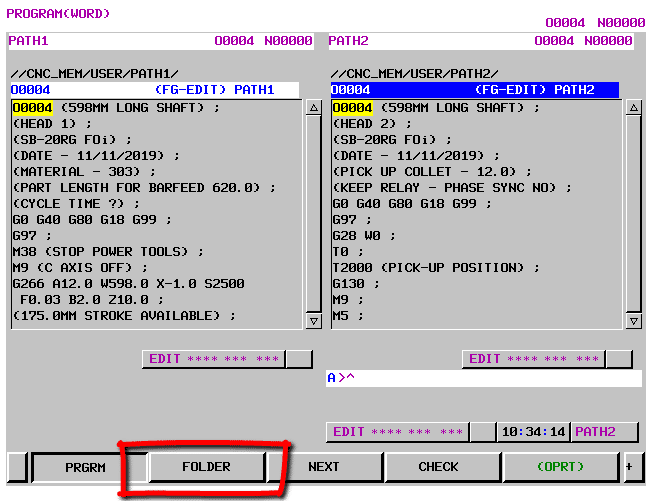
Now press FOLDER to see a list of programs.
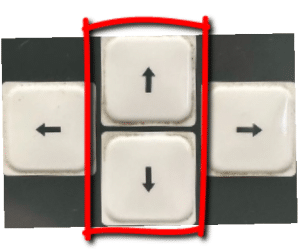
Use your cursor to move down to your program.
Press the OPRT for more options
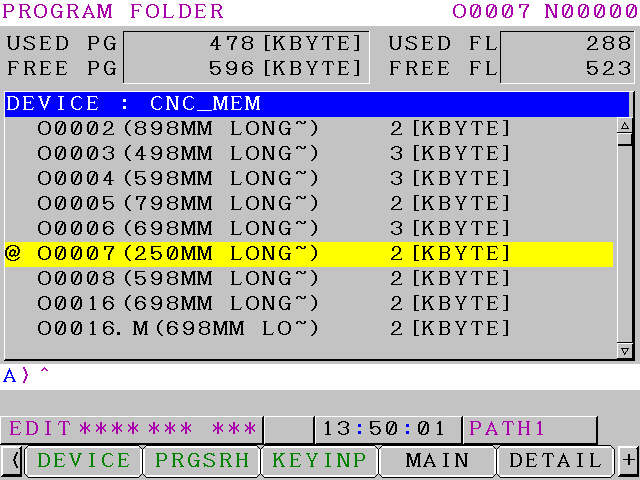
Now press MAIN to make your program active
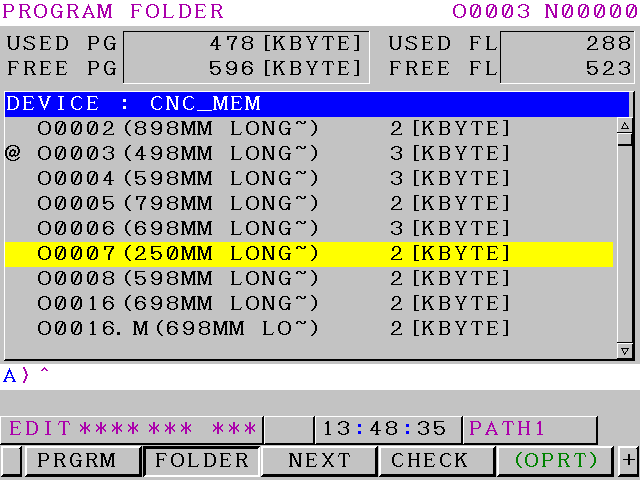
The @ or “at” symbol means this is the active program. Program O0007 is now your active program.
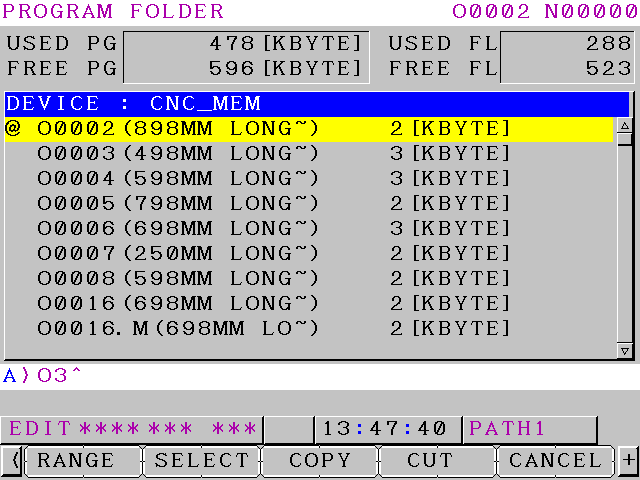
Another way is to type in the number of the program you want to make active O3 or O0003 for program 3
Saddakichi Yamazaki started making pots and pans in 1919 in a place called Nagoya in Japan.
He went on to mat-making and then woodwork machines. During the 1920’s they started making lathes.
World War II
The company were part of Japan’s industrial buildup during World War II. Like the rest of Japanese industry they were humbled by the outcome of the war.
Yamazaki was revived in the 1950s and 1960s by the founder’s sons. The company went from strength to strength and in the 1980s a manufacturing plant was built in Worcester in the UK.
I remember going to the Hamburg engineering Show circa 1982 with my old boss and we actually met Teramatsu Yamazaki.
Well I think that was his name I know they called him Tel which we found quite funny at the time. They had this raffle and were giving away these really expensive vases as prizes it all seemed a bit strange at the time.
Oh and he had his own personal magician walking around with him. I’m not joking, a playing card would suddenly appear out of his pocket or some such thing. Weird but a lot of fun.
Anyway they made us very welcome and we bought our first Yamazaki.
Just shows how old I am being able to remember when Mazaks were called Yamazakis.
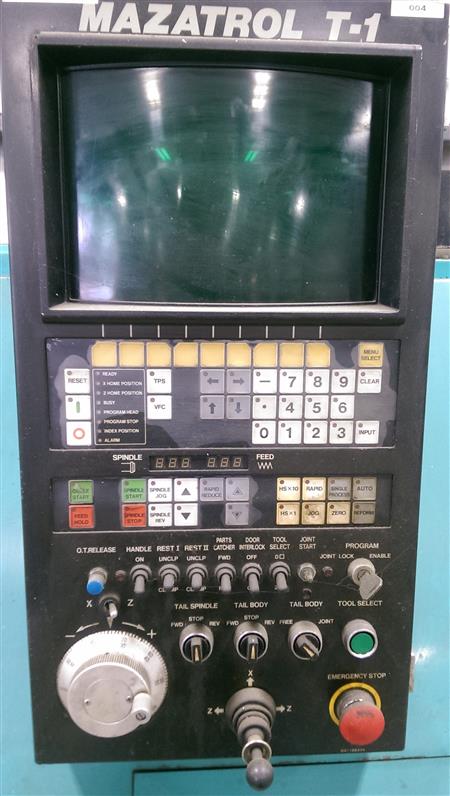
Early Mazatrol T1
I remember that you had a choice of Fanuc or Mazatrol as a control. My boss decided to go for Fanuc although I wanted the Mazatrol. (I still love playing around with anything new)
Having seen the demonstration I was absolutely knocked out. It was streets ahead of anything else, fully conversational.
It calculated feeds and speeds and you didn’t need to know any G Codes, M Codes absolutely none of that shit. Good graphics to check the tool path.
Oh did I say it picked it’s own tools too?
Anyway next machine we got we had Mazatrol and I have loved em ever since.
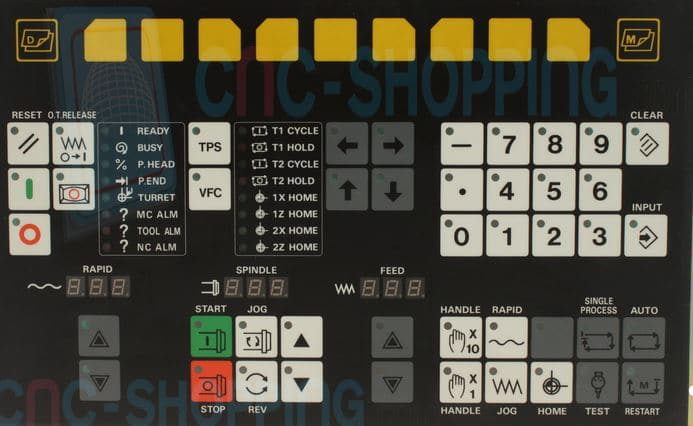
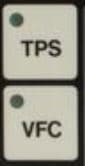
It had this great feature called VFC and when asked what the button was the engineers would always reply “Very Fucking clever”.
Actually it was quite clever (and still is).
The irony here is that I spelt the word clever as cleaver so I am definitely not VFC.
So what you did you would run a face mill or whatever and as it was cutting override the speeds and feeds to your optimum values.
Here Comes The Magic
One press of the VFC button (not to be confused with the KFC Button) and your program would be updated to the new feeds and speeds.
Oh something else
I love showing people this when I am doing Mazak Training Mazatrol Training …………
Mazak Programming Tutorial TPS
Mazatrol VFC Button and TPS Button
Yea that button above it (TPS) pretty cool too. It stands for Tool Path Store by the way.
And that is what it does.
Right imagine the scenario, you have a grooving tool happily doing its business and you want to stop the machine and see what’s going on. Or maybe it just broke the insert!
You press your feed hold button (That’s the red one).
Your machine stops.
You then press TPS and move the X axis. Press TPS and move the Z axis and so on…..
You can now change the insert if you need to.
More Mazak Magic
Move back into the AUTO mode. Ok now when you Cycle Start the machine it remembers this path, follows it and does not break the tool, it just continues where it left off.
Oh and There is More
Whenever I get involved in Mazak Training Mazatrol Training the one thing that impresses me most is this.
Once you call up a tool then the offset becomes active. First time I used a Mazak with Mazatrol I thought it was amazing.
This applies to Lathes and Machining Centres.
That means if you want to turn a diameter you can just move the tool with the hand-wheel to the diameter you want and turn.
On a machining centre it makes setting Work Offsets a doddle (That means easy).
So simple, so obvious, you’d think everyone would do it!!!!!
Matsuura Machinery, a Japanese leader since 1935, produces some of the world’s most precise and reliable machining centres — from high-speed 5-axis vertical models like the MX-520 and MAM72 series to multi-pallet horizontal powerhouses in the H.Plus range.
The first CNC machines I ever worked on were Matsuura 500v and 750v. The 500’s were just a one line display, like a calculator. Incredibly reliable and so solid.
It’s a bit like your first partner you never forget them. Mine dumped me for someone better looking and more money but that’s another story.
Where did he get those glasses
Even the best hardware needs skilled operators and programmers to deliver peak efficiency, reduced cycle times, and flawless parts. That’s where CNC Training Centre comes in.
We specialise in onsite Matsuura CNC training, bringing our instructor directly to your workshop in the UK (and beyond). No travel downtime for your team, no disruption to production schedules — we work around your shifts and focus on your specific machines, parts, and challenges.
Why Choose Onsite Training for Your Matsuura Machines?
Zero Travel for Your Operators — Trainer comes to you, saving time and travel costs while keeping your team on-site and productive.
Tailored to Your Setup — Training is customised to your exact Matsuura models (MX series, MAM72-35V/52V/63V, H.Plus horizontals, multi-tasking centres, and more), controls, tooling, and typical workpieces.
Hands-On & Practical — Real-world scenarios using your machine: safe operation, advanced programming, tool-path optimisation, setup reduction, and unmanned running where applicable.
Boost Productivity Immediately — Address bad habits, unlock hidden machine capabilities, and implement best practices that can dramatically improve output and quality.
All Levels Covered — From beginners needing operator basics to experienced staff wanting advanced 5-axis simultaneous machining, probing, macros, or lights-out optimisation.
Whether you’re running high-mix/low-volume prototyping on an MX-330 or demanding continuous 72-hour production on a MAM72 pallet-changer, our onsite courses get your team up to speed fast — often spotting quick wins that pay for the training in weeks.
What Our Onsite Matsuura CNC Training Includes
Safe machine operation
Control familiarisation (Matsuura G-Tech, Fanuc-based, Yasnac, etc.)
Programming fundamentals through to advanced techniques
Workholding, fixturing, and pallet management
Cycle time reduction and efficiency
Troubleshooting programming errors
Past clients have seen significant improvements in setup times, reduced scrap, and better machine utilisation after our focused onsite sessions.
Ready to get the most from your Matsuura investment?
Contact CNC Training Centre today for a no-obligation discussion about your onsite Matsuura CNC training needs.
Don’t let underused capability hold back your shop — invest in expert onsite training and watch your Matsuura machines perform at their true potential!