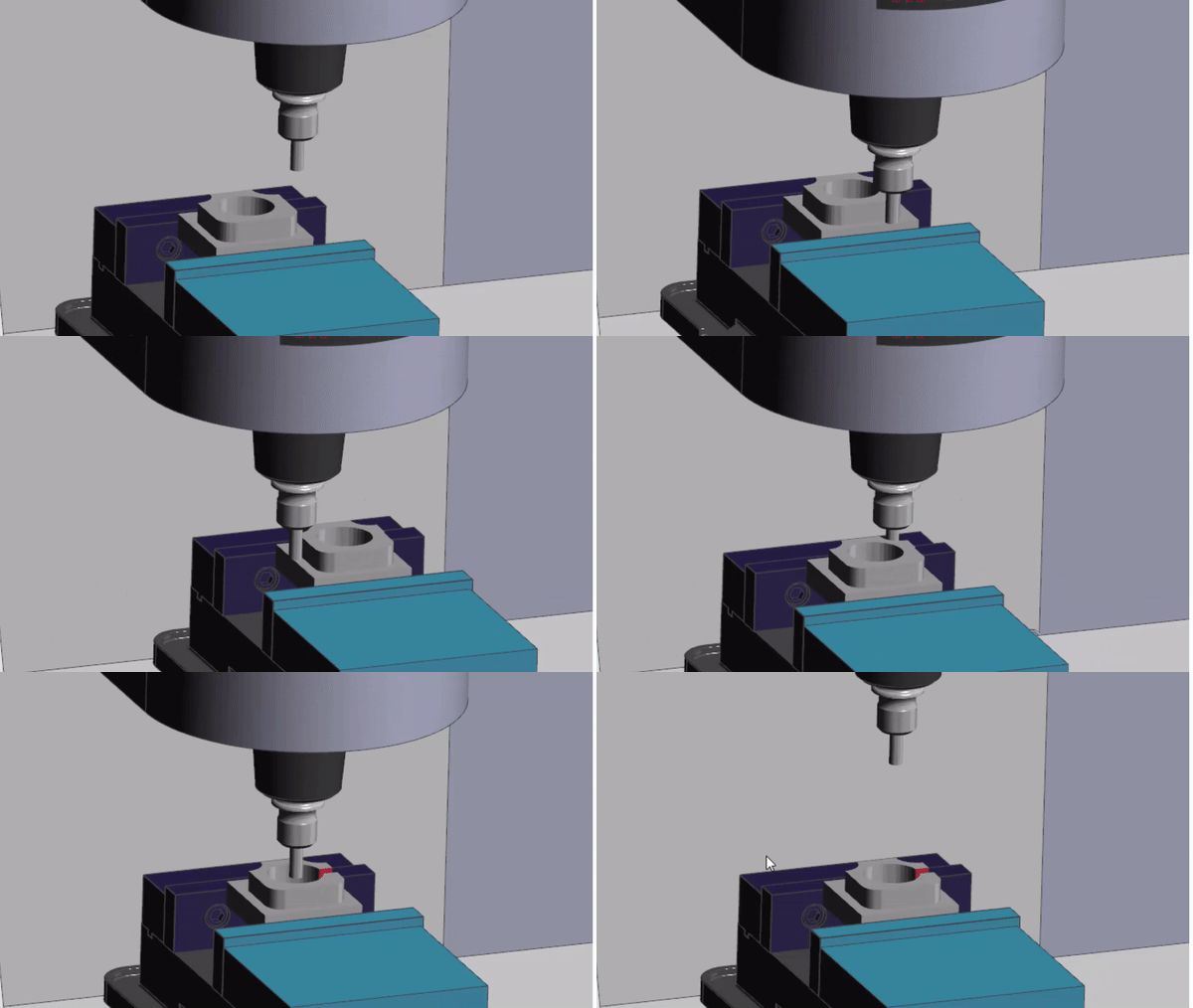
CNC Tooling Spot Drill Centre Drill

Category : Tooling Useful Stuff

CNC Tooling

Spot Drill Centre Drill Spot The Difference

Now if you already know then:

GET SOME WORK DONE

You don’t need to waste your time reading all this bollocks.

CNC Tooling

Spot The Difference

Now Let’s Talk About Centre Drills

They come in various sizes designated by a BS number.

BS1 to BS6

BS6 being big.

Anyway BS1 is 1/8″ diameter and BS6 weighs in at a massive 5/8″and a government health warning.

CNC Tooling

There is only one reason why you would use a centre drill and that is if you require clearance for a centre.

CNC Tooling

If you have a long part and you wish to support it with a tailstock then you need clearance for the point of the centre.

If you used a spot drill the point would touch before the sides.

CNC Tooling

If the part is going to be ground then it will most likely be held between two centres.

CNC Tooling


CNC Tooling

Now the big problem with centre drills is that in order to clear the point of your centre they have to have that little point (pilot) on the end.

And these little bastard break off. Oh and if your turret on your lathe is not aligned properly, you got no chance.

A BS1 centre drill has a pilot that’s just .64mm in diameter!!!!!

As soon as it makes contact you’ll see it wandering aimlessly around like a drunk teenager in Birmingham on a Saturday night.

Carry on now and it will snap off and if your having a shit day it will lodge itself in the part. You’ll need a neutron bomb to get it out.

So let’s move on and stop talking about these annoying little beasts.

Rule Number 1 only use them if you have to.

Rule Number 2 only use them if you really have to.

Rule Number 3 only use them if you really really have to.

CNC Tooling Spot Drills

Now these again come in various sizes a much bigger range from 2mm to 20mm and you get a 120 degree point or a 90 degree point.

B & Q are great for all kinds of DIY products (free add). But whatever you do don’t use the drills for serious engineering.

CNC Tooling

Shelves, building kitchen units, making the misses a Jewelry Box. They are fantastic, but not if you want to be a serious grown up engineer and play with the big boys.

So lets bin all the shitty cheap HSS drills and buy some decent stuff. Oh by the way don’t blame me if your boss says “dream on”

Why Am I Saying This

Well because modern drills are amazing.

They hold accurate size.

Don’t need a spot drill.

Really super fast.

Last longer.

Oh did I mention they are bloody expensive.

Centre Drill

Now with HSS drills you can buy thousands of em for a fiver and still have change to buy Robbie Williams concert tickets.

Authors Note

Please don’t read any of my articles if you like Robbie Williams, it means your a twat. Now Robin Williams, that’s totally different. Don’t you just love “Mrs Doubtfire” my favourite film.

Drills Drills More About Drills

But good quality modern drills are expensive. The good news is they easily pay for themselves. You need to treat them carefully because if they are carbide then they can chip and smash easily. You know in that James Bond movie where he is disarming a nuclear bomb? Well treat them like that and you’ll be just fine.

CNC Tooling

Anyway that’s not what this article is about.

CNC Tooling Centre Drill

A centre drill has a 60 degree point which is not good to start a drill. With a spot drill you can get a 120 degree point which is roughly the same as your drill point so it gives the drill a great start.

The drill won’t wander but if you heed my advice and use a super duper new drill then it will drill perfectly without any spot drill.

Spot Drill Last

I would always  use good quality CNC Tooling.

Use a good quality modern drill and then use a 90 degree point spot drill after to chamfer your holes.

This means you can rapid the spot drill right into the hole and then feed in just a tiny amount to create the chamfer.

Spot Drills The Good Bit

You can deburr with a spot drill. Just program it to go around your shape and put a nice clean chamfer around you part.

CNC Tooling Conclusion Spot Drill Centre Drill

Always use good quality CNC Tooling

Use a centre drill only if you have to.

Make sure your turret is aligned on a CNC Lathe.

Centre drills are for centre locations on long or ground parts.

Centre drills are for grinding between centres

Spot drill can be same angle as drill.

Spot drill after drilling.

Use spot drills to deburr parts.

Thanks

If you have been affected by any of the issues in this post or need CNC Counselling then contact me.

If you want to learn to program CNC Milling Machines

Look no further Contact CNC Training Centre


G94 Facing Example (Sample Program)

G94 Facing Example

G94 Facing Program Example

G94 Facing Example

:Blank Size: 65mm Diameter 85mm Long

:Final Size: 65mm Diameter 82mm Long

This program will rapid to X66. Z3. it will then machine the face down to Z0 in three cuts. The first G94 line tells it to face past centreline to X-1.6 at a feed-rate of F.2 The Z axis moves to Z2.

Cuts
1: Z2.
2: Z1.
3: Z0

The cycle stays in the control until cancelled by a G0 rapid command.

So it remembers exactly what you told it, a bit like my wife, she keeps reminding me of the time I got so hammered I pissed in her wardrobe (some of the shoes still smell to this day).

The G0 G28 U0 W0 will move the turret back to machine reference point.

The G0 will cancel the G94 Facing cycle.

G94 Facing Example Is It Any Good?

Well personally I think it is.

Now I’ll tell you why. You could say it’s really easy to write the program to face a part.

G0 X50. Z0
G1 X-1.6 F.2
G0 X50. Z2.

So that’s easy to do but….

Some one wrote a comment on one of my posts the other day and he started it by saying “back in the real world”.

Can’t lie and say it didn’t piss me off but being the mature well balanced man that I am I ignored it.

Now my inner nasty, immature, unbalanced me said “look mate I was in the real world when you were still shitting yellow”. Obviously I didn’t post it and if your reading this now thinking it’s you, well it isn’t.

Anyway as to the G94 Facing Example

In the “real world” you get to the end of the batch of parts and find that one of them is way too long and you need to face a shit load off the front.

Now had you used the cycle as below and got into the habit of always using it.

G0 X50. Z3.
G94 X-1.6 Z0 F.2
G0 G28 U0 W0

The alteration would be really easy.

G0 X50. Z12. (Imagine You Have An Extra 12mm On the Face)
G94 X-1.6 Z10.5 F.2
Z9.
Z7.5
Z6.
Z4.5
Z3.
Z1.5
Z0
G0 G28 U0 W0

Rapid Move Cancels G94

Note don’t forget you must have the G0 rapid move at the end to cancel the G94.

(Just like G0 cancels a canned cycle in milling)

Don’t be tempted to put G0 in the moves as the control will just wiz around in Z and sit there laughing at you.

G0 X50. Z12. (This is what not to do)
G94 X-1.6 F.2
G0 Z10.5 (NO NO NO NO NO NO)
Z9.
Z7.5
Z6.
Z4.5
Z3.
Z1.5
Z0
G0 G28 U0 W0

See full explanation

Using G94 on a Haas Lathe

Thanks

If you have been affected by any of the issues in this post or need CNC Counselling then contact me.

If you want to learn to program CNC Milling Machines

Look no further Contact CNC Training Centre


CNC Program Quiz What’s Wrong?

Category : Mazak Mill

CNC Program

I got a desperate call from a customer asking me what was wrong with the CNC program below as he kept getting alarms.

The machine is a Horizontal Mazak running an (G Code) CNC program. It’s a thread milling CNC program.

I found quite a few errors in the code quite quickly and congratulating myself confidently told him to run the program.

This guy has been my best friend since I was 17 and I couldn’t resist a bit of sarcasm (we call it piss taking here in England).

You have to be careful when you have a go at Garry. Ever since our days together as apprentices at Rolls Royce (circa 1971) whenever I took the piss out of him he would get me back 10 fold.

(It’s no coincidence that Rolls Royce went bust in 1971)

I remember my first time at arc welding nervously trying to master the technique. Garry thought it might be amusing to smash a large mallet into the underside of the metal clad welding both.

I have always been the type of person who jumps and alarms quite easily.

Panic struck I threw the complete welding torch into the air and spontaneously evacuated my bowels. It sparked and flashed around the cabinet, which I had long since vacated, for a good minute before the instructor intervened.

I was the subject of ridicule and derision for the next few days by the whole of the Rolls Royce training school (about 200 teenagers).

For the younger generation, it was in those strange halcyon days when the UK invested in manufacturing. Oh and we had Black Sabbath, Led Zeppelin, Deep Purple and the fuckin Osmonds.

CNC Program

The CNC Program

Anyway enough of that. So yea I thought the program was OK but it alarmed out again.

A sarcastic laugh ensued and comments about “how the Mighty Fall”.

Needless to say I hadn’t found the real error in the code.

I have to call it a school boy error, mind you when I was at school I couldn’t even write my fuckin’ name, let alone error check a complex CNC Program.

I must have demonstrated this a hundred times on a whiteboard. My students took it all in but obviously I didn’t….. So what’s the error?

N30 T16 T72 M06 (5/8″ THREADMILL)
M911
B0
M51
M08

G90 G0 G54 X0 Y35. S3000 M3
G0 Z2.0
G91
G01 Z-20. F1000.
Z0.605
G41 Y-10.548 F263.
G03 X0 Y22.003 Z.907 I0 J11.002
G03 X0 Y0 Z1.814 I0 J-11.455
G03 X0 Y-22.003 Z.907 I0 J-11.002
G40 X0 Y10.548
G90 Z2.
G0 Z50.

Some hints If You Haven’t Got It Yet

When you are in cutter compensation the machine is reading ahead so the alarm my well be a few lines in front of where you are.

There are errors which are more a matter of discipline but won’t cause alarms.

When I check word documents I always put my finger on each word as I read the document.

I find that when you read it your brain is making the same mistake as when you wrote it.

Biggest clue read this on Modal Information.

Thanks

If you have been affected by any of the issues in this post or need CNC Counselling then contact me.

If you want to learn to program CNC Milling Machines

Look no further Contact CNC Training Centre


The Best CNC Control what is it?

Category : Useful Stuff

If you are buying a new machine what is the best CNC control?

You might not have a choice of the control if it’s a Mazak or a Haas.

Given the choice what would you choose.

the best CNC control

Things to Consider (the best CNC control)

  1. Availability of Skill to use it.
  2. Batch size, one off or thousands of parts.
  3. Ease of editing.
  4. Do you want to program on the machine?
  5. Graphics.
  6. Program Restart.
  7. Compatibility with existing controls.
  8. Mobility of labour (who can use it?).
  9. Do you need bells and whistles?

Availability of Skill

Probably the most common CNC Control is Fanuc. Like it or love it, it’s the one we all know.

But is it the the best CNC control? Well, I’ll let you decide.

So when you are trying to get a setter operator or programmer.

If you have a Fanuc control you have plenty of fish in the sea. It’s more or less the industry standard.

So beware if you buy a new machine and the control uses bitcoin and nanotechnology you might be the only dude who knows how to program it.

Siemens controls are really creeping up in the background even Mazaks use them now. There is still a massive shortage of people with Siemens programming skills. Maybe you should talk to us.

How Many Parts Do You Make?

If you are in the business of making one offs or small batches of parts, then you may think it will be more profitable for you to program at the machine.

Mazatrol is excellent for this. When it comes to turning, from drawing to bubble wrap, it really takes some beating.

Hurco is also really good for one offs and small batches. Oh and both of these controls usually have an ISO option meaning you can run Fanuc type programs if you want to.

Oh and the new Hurcos are fully Fanuc compatible

Read the small print on your final machine spec and always check what options are on your machine control.

Fanuc controls are on thousands of machines and every one is different. Things like Manual Guide i are options and sometimes very expensive to install as an add on.

It’s like getting a car and finding you got the one that doesn’t do 0-60 in 5 seconds.

Don’t forget you can always get yourself a CAD CAM system for a very reasonable price these days. This will do everything these controls can do and an awful lot more.

the best CNC control

the best CNC control

Things like proper collision detection. It’s way cheaper and ethical than framing the apprentice and getting him another written warning.

You can get entry level CAD CAM systems for around £2500 pounds (that’s about $1000.000 since we decided to leave the EU). Oops, sorry.

Only joking.

Anyway when buying a new machine it’s not much money to sneak under the radar.

Editing

Do you need to do loads of editing? I have to say Haas controls are brilliant for editing (you even get an undo button along with loads of other clever shit).

The handwheel can wizz you through the program at breakneck speed unique to Haas I think.

Heidenhain has the ability to jump to sections of program really quickly. One of my favorite features Read this.

Yes and make sure your programs are easy to read. Loads of comments and spaced out. This makes them easier to navigate and edit. Read this.

Siemens controls are also very easy to edit COPY/ PASTE an absolute doddle and its really easy to move stuff around. (Siemens 840D Sinumerik)

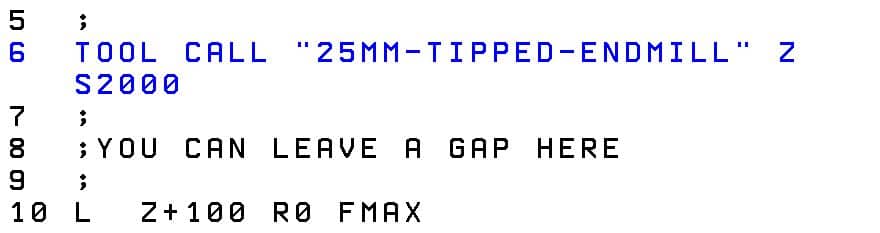
On your Heidenhain control use this button maybe just to leave gaps and add the odd comment.the best CNC control

Use the colon (;)  to add a comment.

the best CNC control

New Fanuc controls are much better than the old ones for editing. You needed a PHD in calligraphy just to work out how to copy and paste.

Fanuc Tips

If you have Manual Guide then use it to edit. There’s loads more functionality. You even get an undo button.

Even if you don’t use it to program swap over to edit, please.

Check out PL. EDTthe best CNC control

This button lets you edit two or more pages at once so it’s real easy to copy n paste from one program to the other

the best CNC control

Don’t forget to pressthe best CNC control

when your done or you will be punished by being locked into that screen until home time.

Oh and don’t forget the calculator button on Fanuc too.

the best CNC control

Read this

Mazak Tip

When running ISO programs on a Mazak control there’s a real nifty edit function. You know that feeling when you think “oh shit I know I should have changed that tool number”.

Well you can stop the program alter it and just carry on. You can’t alter anything before your current position but you can alter anything after. Like that looming feedrate you know you meant to alter.

(WARNING ONLY WORKS IN ISO)

Programming On The Machine

Just one thing to say about this.

It’s expensive.

It’s great for bored operators, they love it. Yes “that’s what background edit is for, you dick” I hear you say. (You really should learn to be more articulate).

Mmm yes well that’s not without its problems as we all know.

This will obviously work for some organizations and not others. But, be sure to check carefully that production and quality are not adversely affected when you program at the machine.

Just saying.

Graphics

Well most machines have em. But usually they are a pile of shite.

Joking aside (and you know I love to joke) they are really useful for checking programs for errors but mostly not collisions.

So long as your not expecting to get the Jeremy Kyle Show with subtitles you’ll be just fine.

For typos and little coding errors they are brilliant and save loads of stress and panic when you decide to run your code for real.

Program Restart what’s the best CNC control?

Don’t get me started on this one. Well ok here goes.

Even the best CNC controls don’t always have good program restart.

Haas (Brilliant)

Fanuc mmmmmm (It’s an option) read this

Mazak not bad.

Heidenhain good.

Semens good on newer machines old controls with care.

Mixed Bag Usually Not That Good

Anyway it’s a bit of a mixed bag but on a machining centre where you almost definitely will need it. I suggest you check it out first.

Oh and if you already have it then learn to bloody use it.

Clones


You see it on LinkedIn all the time, such and such a company has just bought their 96th ????? machine.

Well there’s a reason for that, and I know our machine tool friends would like to think it’s loyalty to their amazing products but ……

Their are some very pragmatic reasons why you stick with the same boring old brand of machine tool.

If every machine has  a different control you won’t get much mobility of labor because every machinist will be scared of the dark evil beast next to him.

And when your trying to recruit… well the wish list will be like War and Peace

If you have bought loads of new machines from the same company when you call the service department you got way more clout (don’t tell anyone I said that).

Don’t forget you can run ISO programs on most Heidenhain controls with a few mods.

Haas, Fanuc, Mazak (ISO) and Yasnac are almost 100% compatible with one another.

So it’s worth looking at how compatible the new control is with your old stuff.

Bells and Whistles

Do you need all this crap?

Can it contact your misses and ask her to get the takeaway ordered and put some Vodka in the freezer?

Can it check your credit rating?

So if you are programming offline with a CAD CAM system what do you need?

I reckon you need good editing, good program restart, good graphics.

If you are programming everything using CAD CAM it’s more about hardware than software.

Don’t forget the hardware is the expensive bit (the metal) computers and software are cheap but if you want a machine that can drill and tap 500 holes in one side of a railway carriage then you need some big bucks.

Verdict So What’s the Best CNC Control?

Sorry there ain’t one. As usual it’s subjective.

The main points to consider if you want the best CNC control:

  • Do you need it to check your lottery numbers?
  • Batch quantities will it run for hours untouched?
  • Do you want to program on the machine and is it practical and cost effective to do so?
  • Can you find anyone to program set and operate it?
  • What skill sets do you already have? Maybe you need to stick with what you have?

Siemens 840D

Thanks

If you have been affected by any of the issues in this post or need CNC Counselling then contact me.

If you want to learn to program CNC Milling Machines

Look no further Contact CNC Training Centre


G94 and G95 Feed per Rev / Feed per Minute

Category : Fanuc Haas

G94 and G95 are two G codes that are often ignored on a CNC Lathe.

G94 is feed in mm per minute, as normally used on a CNC Milling machine.
G95 is feed in mm per revolution, as normally used on a CNC Lathe.

So if you program F.2 in G95 then for every revolution your tool would move 0.2mm

At 1000 RPM your tool would feed .2 x 1000 = 200mm/min

One of the many things that utterly pisses me off is when I see a line of gratuitous G Code at the beginning of a CNC Program.

Now I know you’re thinking “this miserable bastard is permanently pissed off” and this may be be true but. Allow me to explain.

The idea of these setup lines as I am told is to reset the control at the beginning of a program. I don’t have a problem with this at all.

It’s a bit like tattoos I suppose so long as the tattoo is on you and not on my scrotum sack I don’t have a problem at all.

I keep saying they’ll regret it when they’re older but my mother is 96 and covered in ink and doesn’t seem to give a shit about it, therefore I could be wrong.

My mother definitely doesn’t look her age

I used to work with a guy who had “True Love Julie” tattooed up his arm it was all fine till he caught her shagging the bloke servicing the boiler.

I suggested the next time he got his body inked he should try using more generic terms like “I Really Love My Girlfriend”.

Maybe they could leave a gap for him to “felt tip pen” the name in and when he got fucked over again (which he did on a regular basis) he could just rub it out.

Setup Lines G94 and G95

What I hate is that when I ask the operator what the G Codes at the beginning of the program mean. He just says “fuck knows, but I know you must have them”

Anyway it’s a free country (well kind of) so feel free to put these codes in but please take the time to see what they all mean.

For example if you put G21 at the head of your program it means this program is in millimetres.

But….. if you only use millimetres in your programs then why bother. You only need it if you are using inches (G20) sometimes and need to swap over.

Fish Fingers

Likewise you could put G69 at the head of your program but if you never use coordinate rotation you might as well be telling the machine that you’ve got fish finger and chips for tea again. It’s just not interested.

I love healthy food and Jason Donovan

I get this every day since my wife bought a book called “50 new exciting ways to cook fish finger and chips”.

The green parsley leaf she says is my “Five a Day”

G94 and G95

On most CNC Lathes you will always be using G95 which is feed per revolution. On a CNC Milling Machine you will always be using G94 which is feed in mm per minute.

The lathe will default to G95 and the CNC Milling Machine will default to G94.

Soooo… About this Setup Line

If you never use feed in mm per minute (G94) on your CNC Lathe then personally I wouldn’t bother with it. You don’t need G94 or G95 at the head of your program.

Now if you have a bar feeder on your CNC Lathe you may need to feed the bar out with the spindle stopped.

Feed per revolution is feed per revolution therefore if you have no revolutions then you have no feed.

You must change to G94 so that you can program in mm per minute. Oh and when you are done don’t forget to switch back to G95 (feed per revolution).

Don’t forget these G Codes are modal which means they stay in the control until changed.

G95 Feed Per Revolution (CNC Milling)

Now most programmers don’t use this much on a CNC Milling machine. There are some really good uses for it.

Now I was useless at maths at school. Well thinking about it I was just useless at school although….

I did get a GRADE 1 swimming certificate which I’m still proud of to this day.

Achieving my GRADE 1 swimming certificate was a gruelling task. I remember I had to swim a full width of the swimming pool which I did (only touching the floor three times). Then I had to retrieve a massive,heavy, black rubber brick from nearly three feet of water.

I still have the certificate framed in my office to this day.

You young people now-a-days have it easy with your ipads and Ed Sheeran records.

Anyway most of the ideas I come up with are born out of shear laziness. Humans are useless at adding up in fact all simple arithmetic. So why bother…. fuck it.

Whenever there is an opportunity to do maths give up and let the computer do it. As much as I want to build your confidence as a training provider I can tell you that you are stupid, this in not for you.

Drilling On a CNC Milling Machine

Drilling is a good example. I remember years ago buying a drill and ringing up the tooling guy and asking what feed rate to use. He said “oh, about .15mm per rev”. I didn’t have the confidence to say “what the fuck does that mean” so pretended I knew what he meant.

In actual fact  I just pissed around with the drill until it looked like it was cutting OK.

Obviously you know what is meant by 0.15mm per revolution. It works like this, just incase you know a bloke that doesn’t understand it.

So it your speed is 2000 rpm.

Then your feed would be 2000 x 0.15 = 300

So you would program your drill as F300. that’s 300mm/min.

This is my dog “fuckwit”

Anyway I think you can see where this is leading. If you swap to G95 you could just program what the man said. Completely clueless as to what will happen.

Oh and usually they say stuff like “between 0.1 and 0.25 mm per rev”. Tooling guys are renowned for their ambiguity.

You could  play around with the feed without ever getting out your calculator (save it for your next trip to Lidl).

Tapping On a CNC Milling Machine

You have a choice G94 and G95.

Loads of people still work out the feed-rate when tapping, is this you?

T1 M6 (M6 x 1 TAP)

G90 G0 G54 X0 X0
G43 Z3. H1 M8

M29 S500
G84 G98 Z-20. R1. F500.
X50. Y50.
G80

In the above program it’s easy to calculate the speed by multiplying the speed by the pitch of the tap.

500 x 1.0 = 500.

It’s easy but there are two problems.

  1. Not all taps are 1mm pitch.
  2. What if you need to change the speed?

So the calculation is not always that simple.

If you change the speed and forget to change the feed you are fucked. Well you’re not but the tap almost definitely will be.

Try This


T1 M6 (M6 x 1 TAP) 

G90 G0 G54 X0 X0
G95 (FEED PER REV)
G43 Z3. H1 M8

M29 S500
G84 G98 Z-20. R1. F1.
X50. Y50.
G80 G94 (FEED IN MM/MIN)

Now it’s really easy the feed-rate is the pitch of the tap. Oh and when you change the speed just do it.

No one gets hurt and no taps are harmed in the process.

G95, what you “young people” would call a no-brainer.


 Best Website with Crack Program:


Careers in CNC

View all current vacancies in CNC

Click here

Call David: 07834 858 407