
Siemens Using Tan Point for Corner Rads
Category : Siemens

Category : Siemens
Category : Siemens

Category : Hurco
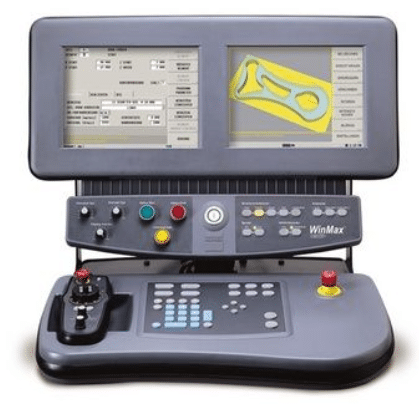
Good news, you don’t have to lose your Part Offset when you forget to save your program.
I have got to say I love Hurco machines, I mean I really fuckin do. Not in that way you say when your are out with your mates, totally shit faced and you keep saying “I love you man”. No no no this is true love.
I do have a tiny moan, well a few tiny moans, but not many.
CNC Training Centre can offer training on Hurco machines so contact us if you need Hurco CNC Training or in fact any CNC Training
One of them is that your work Part offset is on a separate screen and when you change programs if you forgot to save the one you were working all of hells shit will break lose.
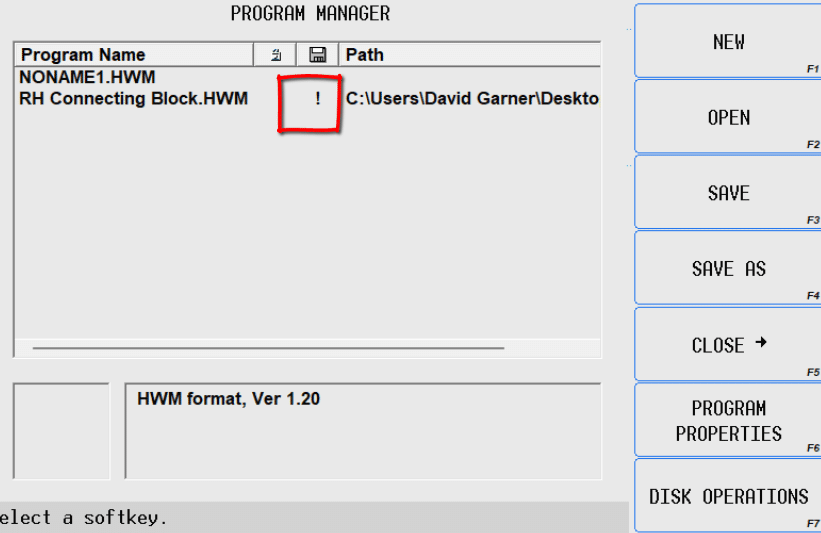
That little exclamation mark should be six feet tall in my opinion, ignore it at your peril.
Category : Siemens Mill Siemens Turn
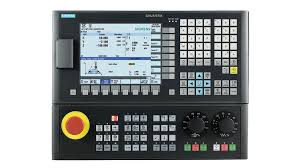
Siemens 840D. When I was at school they taught us, among a few other things, the rule: I before E except after C.
Click here for Siemens training.
Well I never took it in because I can never remember how it works with Siemens. Anyway let’s forget spelling bollocks and get on to the exciting stuff of CNC Programming.
Siemens 840D is an amazing control it’s so versatile. I honestly think that if you could find the right G code it could make you a one shot skinny latte with a shot of caramel syrup. No I’m joking it obviously can’t add syrup.

This article is about circular moves on the Sinumerik Siemens 840D.
Now we all know on a Fanuc it’s end point and rad (piss easy you say) and Heidenhain, well they have a lot of ways too actually.
The Germans have got this circular milling business fuckin nailed.

When you’re a real geek like me you just keep looking for more and more things that a control will do.
On the Sinumeric Siemens 840D it’s never ending.
Sometimes I think “shit that’s amazing” and even though I can’t think of a use for whatever it is I found. I can’t help but think maybe one day I will. You know like that bread making machine you bought that’s at the back of the cupboard.

But it’s like they cover every option and permutation you will ever want.
For example this video shows how you can simply add a radius to a corner. You just program it point to point. It’s a 50mm square so you program it to X50. Y50.. Then when you want rads on the corners you just stick them on the end.
The smart arses are now saying “so what, I can do that on my Fanuc”. (I say “good luck with that one”)
Heidenhain is easy you just add RND
Ok so here is a video showing you how.
Now I know what you’re thinking (“so what”). But what if you wanted a different feed-rate on the corner radius?
Easy just add FRC=50.would give you a feed of 50mm per minute just on the corner radius and it wouldn’t affect your other feed.
So your program looks like this
G41 X0 Y50.
X50. RND=20.
Y-50. RND=20.
X-50. RND=20.
Y50. RND=20.
X0
G40 X0 Y65.
G41 X0 Y50. F200.
X50. RND=20. FRC=50.
Y-50. RND=20.
X-50. RND=20.
Y50. RND=20.
X0
G40 X0 Y65.
Oh and if you want it to apply to every corner you don’t need to write one on every line just add M. Cool what.
G41 X0 Y50. F200.
X50. RND=20. FRCM=50.
Y-50. RND=20.
X-50. RND=20.
Y50. RND=20.
X0
G40 X0 Y65

Oh and you can do the same with the RND just add M
G41 X0 Y50. F200.
X50. RNDM=20.
Y-50.
X-50.
Y50.
X0 RNDM=0
G40 X0 Y65
Then RNDM=0 will cancel it.
This is how you do it just like Fanuc n Haas
I mean really it’s not much different to fanuc and Haas except instead of just putting R20. you have to put CR=20. these Siemens guys love those equals signs they seem to want them everywhere.
I love this one (Heidenhain do it too) all you do is give it two points and it just sticks in a tangential rad.
Oh by the way if you think there is more than one size tangential radius between two lines then you should be absolutely ashamed of yourself.
It’s all done with a simple CT don’t you just love it this is soo damned exciting.
This one is amazing you just program a radius and the angle.

As much as I don’t like to swear in my articles I’ve got to say I fuckin hate I and J as a way of circular interpolation.
There I’ve said it.
It’s pointless, it’s outdated and it’s utter bullshit.
The only time I would ever use I J and K would be to machine a full circle. Other than that I would rather extract my own wisdom teeth with a hammer and chisel.
There it is. The I and J are an incremental distance to the centre of the circle from where you are. Oh and because Siemens is so versatile you can even program I and J as absolute values from your datum.
If you find the above statement confusing then good. It serves you right for using a completely useless outdated way of programming a simple corner rad.
So now you know what I mean. Joking aside, these methods are all tools in your programming toolbox. One day you’ll see a use for one of them and you’ll think “I remember that grumpy old bastard wrote an article on that”.
Then I hope you’ll return to this article.
If you have been affected by any of the issues in this post or need CNC Counselling then contact me.
If you want to learn to program CNC Milling Machines
Look no further Contact CNC Training Centre
Category : Siemens
I remember a long time ago we used to run metric programs and imperial (inch programs). So if the drawing was in inches then that’s how we programmed it. Seemed like a good idea at the time no converting figures and no need for writing on drawings.

You had an inch drawing, inch micrometer so why not have a program that’s in inches too?
One day someone (not me, honest) changed an X figure by 1 inch thinking it was a 1 mm.
The difference between one inch and 1 mm is what we call a country mile or a shit load. Anyway the part flew out the chuck on the impact of hitting the tool.
G20 was assigned to our history book. Oh and the boss shoved the broken tool up my arse.
I often work in Scotland where there are a lot of engineering companies specialising in Oil and Gas type work. As a result most of them work exclusively in inches. To be honest to me it’s a pain in the arse and I never quite get used to it. Although when I did my apprenticeship at Rolls Royce in 1971 things were just changing over so in theory I should have a brain measured in inches (it wouldn’t be many by the way).
Metrification (it’s not a new sexual identity)
I need to be careful here, because I’m now at that age where you can bang on for hours about all this kind of innocuous shit (it’s what old men do apart from pissing themselves if there’s not a toilet nearby).
To change to inches on a Fanuc control select MDI and go to your setting screen, press the offset/settings button.
Just change from 0 to 1.


Shut your machine off and back on again then zero return it if required. Everything will change to inches (you’ll now have four decimal places)