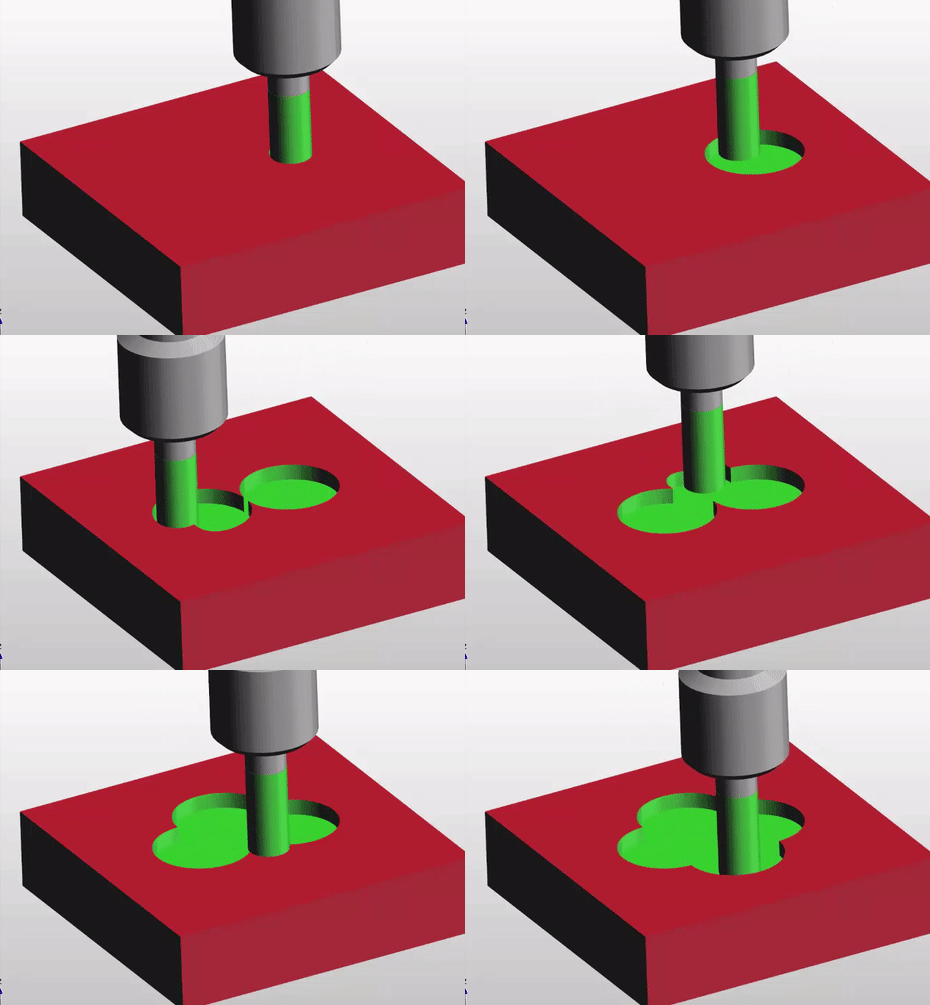
It’s been great fun writing this article for you but to be totally honest i think this cycle is a complete waste of time. Whenever I have put a dwell in a spot drilling cycle it always seems to chatter.
However if you do use this cycle please let me know if you have success with it.
Thanks
If you have been affected by any of the issues in this post or need CNC Counselling then contact me.
If you want to learn to program CNC Milling Machines
I found quite a few errors in the code quite quickly and congratulating myself confidently told him to run the program.
This guy has been my best friend since I was 17 and I couldn’t resist a bit of sarcasm (we call it piss taking here in England).
You have to be careful when you have a go at Garry. Ever since our days together as apprentices at Rolls Royce (circa 1971) whenever I took the piss out of him he would get me back 10 fold.
(It’s no coincidence that Rolls Royce went bust in 1971)
I remember my first time at arc welding nervously trying to master the technique. Garry thought it might be amusing to smash a large mallet into the underside of the metal clad welding both.
I have always been the type of person who jumps and alarms quite easily.
Panic struck I threw the complete welding torch into the air and spontaneously evacuated my bowels. It sparked and flashed around the cabinet, which I had long since vacated, for a good minute before the instructor intervened.
I was the subject of ridicule and derision for the next few days by the whole of the Rolls Royce training school (about 200 teenagers).
For the younger generation, it was in those strange halcyon days when the UK invested in manufacturing. Oh and we had Black Sabbath, Led Zeppelin, Deep Purple and the fuckin Osmonds.
The CNC Program
Anyway enough of that. So yea I thought the program was OK but it alarmed out again.
A sarcastic laugh ensued and comments about “how the Mighty Fall”.
Needless to say I hadn’t found the real error in the code.
I have to call it a school boy error, mind you when I was at school I couldn’t even write my fuckin’ name, let alone error check a complex CNC Program.
I must have demonstrated this a hundred times on a whiteboard. My students took it all in but obviously I didn’t….. So what’s the error?
On a Fanuc or Haas control G02 G03 are the two G codes we use to move around clockwise and counterclockwise circles. You don’t need the leading zeros so from now on I will call them G2 and G3.
And by the way never use the letter O it’s number zero
GO2 GO3 looks almost exactly the same as G02 G03. But your control will blow it’s mind and get real mad with you.
It will also do some really weird shit like trying to start a new program. Anyway just don’t do it.
Oh and please don’t call it interpolation as it annoys the shit out of me.
Linear interpolation is movement in a straight line.
Circular interpolation in moving in a circle.
Interpolation is movement.
Now that’s the telling off out of the way let’s move on. It’s ok I don’t hold a grudge.
Which one of you bastards said interpolation?
Let’ Talk About Milling A Shape
When you are milling a shape and you want to move in a circular motion you use G2 or G3
For a clockwise arc use G2 and for a counter clockwise arc use G3.
They both work the same way. On a modern control you programme the endpoint (an XY figure on a milling machine) and the radius you require.
Then your CNC controller magically creates your circle. You can programme any arc like this with one exception.
Do you know what it is?
Ok I will tell you later, it’s OK to not know. (Just means you are little thick).
Lets go back to school.
Remember construction? Of course you do.
We are going to mill the top section of this part
Let’s see what the control has to do to work out where the centre of the circle is.
It knows its current position and in your G3 line you tell it the end point and the radius you want.
Well it gets out its little compasses and draws two circles at the radius you told it.
It positions the compass first on the start point and draws an arc. Then on the end point and draws an arc.
Where these two arcs cross it places the point of the compass. Now it can strike an arc that touches your start point and your end point.
Get yourself a pair of compasses and try it. It’s great fun.
That’s how the maths works.
Tell me did you really believe that inside your CNC machine there is a little man with a pair of compasses?
Fuckin hell I give up.
Sorry I lied it’s all done with simple trigonometry. But at least I tricked you into understanding the principle.
So you should now begin to work out why you get an alarm when the radius is too small. Your two arcs just don’t cross. In other words you are trying to fit an arc between two point that simply miss one another.
G2 G3 No Pot of Gold
Your control will give you an alarm “End Point Not Found” which makes sense because it can’t find one. It’s like the pot of gold at the end of the rainbow.
Oh Before you Go More on G02 G03
What about the question. When can you not use endpoint and radius with G02 and G03 ?
Answer: When you want to machine a full circle using G02 and G03.
You can do it but you would have to break it into two halves. I’m not going to explain anymore because this method is for wimps and peole who can’t be arsed to read my articles.
You know who you are, ordering Chicken Korma in an Indian Restaurant.
Well…… what follows is a full, blow your bollocks off, shit your pants the next day, vindaloo.
And Now Ladies and Gentlemen the Infamous I and J
At the CNC Training Centre we don’t get too excited about I and J when it comes to programming circles. That’s because you don’t need to worry your pretty head about it anymore. You almost never need it.
Did he say almost?
Well yes almost. You could programme forever and never bother about using I and J with G02 G03. So just go off and watch some porn for awhile and I will explain to the real programmers when you can use it.
In the old days I and J was the only way to programme an arc. You would tell the control where the centre of the circle is and the endpoint. This is cumbersome and a bit tricky. That’s why I’m not telling you about it.
Anyway one really good simple way to use I and J is for a full circle. Oh and it’s bloody easy. That is once I’ve explained it to you.
When I was a boy hundreds of years ago I had a toy called a Spiro Graph.
Spirograph those were the days
It consisted of a series of plastic gears. You stuck your pen in a hole in the gear and rotated it around another gear. With a bit of practice you could make some really nice pictures. Kept us happy for hours. The crime rate dropped dramatically in my area when these things came out.
What’s this to do with CNC programming you ask? Well if you tried to use end point and radius for a full circle this is what you would get:
If your start point was X0 Y0 you would program G3 X0 Y0 R100. assuming radius was 100mm.
So in a full circle your endpoint is the same as your start point. There are millions of circles the computer could pick. It would be just like the shapes above. If you do the compass trick you will see what I mean. That’s why it’s impossible.
In Comes I and J
So some clever bloke thought fucks this I’ll invent I and J.
If we use I and J there are four options as above.
You would simply program as below for a full circle (20mm Radius)
G3 I-20.
G3 I20.
G3 J20.
G3 J-20.
And that’s it.
So these are the four options
So there you have a fantastic way to programme a full circle without having to break it down into two halves or be clever like a newsreader or some twat off mastermind.
Why do you only need the I and not X and Y Dave?
For fucks sake don’t call me Dave my name is David.
I had this really nice guy phone me from Africa the other day. He explained to me that he needed to get his inheritance of 10 million pounds out of England and if I helped him he would give me £20,000. All I had to do was give him all my bank and credit card details. Oh and a small one off payment of £1000.
Of course I agreed, what a bargain. Just as I was about to do this the cheeky bastard called me Dave.
I immediately told him to fuck off. I just hate being called Dave.
I gave him my 96 year old mothers phone number because I thought at least she can benefit from it all. Her name is Mary so he couldn’t shorten that. She only has £1200 in savings so it would be doing her a massive favour.
Explanation
You don’t need to re-state the X and Y because you are already at the endpoint