Author Archives: David

Brother CNC machine training

Brother CNC machine training on the TC 32B come to us at the CNC Training Centre

Call David: 07834 858 407


CNC Training Centre Reviews

30 five star ratings on Google (just saying)

Brother Manual Mode

Brother produces a wide range of high-efficiency compact CNC vertical machining centres and multitasking machines, primarily from their acclaimed SPEEDIO series. These machines are known for their high speed, energy efficiency, and compact footprints.

This is part of a short series of posts on how to operate the Brother CNC TC 32 B

I must say I love these machine (he always says that, I hear you say). It’s like your children you love em all in different ways. Even if one of them is an absolute prick.

To turn on the spindle manually press SP CW

Brother CNC machine training
Spindle Start

It starts up and goes green

Brother CNC machine training
Start Spindle

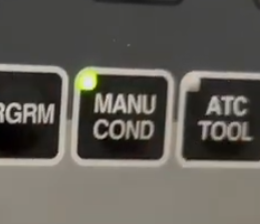
Press your MANU COND button

Manual

This will display

Brother CNC machine training
Spindle Speed
Speed Adjust

You can adjust the speed with these buttons

You will see speed change on screen

Handwheel Off

Note it’s important to switch off the remote handwheel in order for any of this to work. It’s a little punishment.

Brother CNC machine training
Brother Handwheel

Brother CNC Machine Training, Index Pallet

This button will index the pallet, no need to move away the tool as it is built into the cycle. Well thought out procedure.

Brother CNC machine training
Index The Pallet

Brother Manual Mode Zero Return

This button will return all axis to zero, it always does Z first, so no panic there.
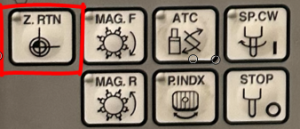
Zero Return Button

Using Jog, Brother CNC machine training

Press jog button will take you to the same blue screen

Jog

And the same buttons will adjust it.

Brother CNC machine training
Adjust jog speed

They call it Low travel speed, mmm.

Brother CNC machine training

Incremental Jog Brother CNC machine training

This is a very underused function great for clocking in bores n stuff like that. Loads of people have this and never both ot even use it. Think of it as the sandwich toaster of CNC Machining.

Incremental jog is adjusted from the same screen, go ahead press it.

Each press will jog the machine in the selected axis by the amount you set.

Rapid Traverse
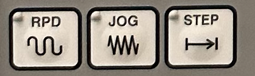
The rapid works the same way.

Use your X Y Z keys to Step, Rapid or Jog
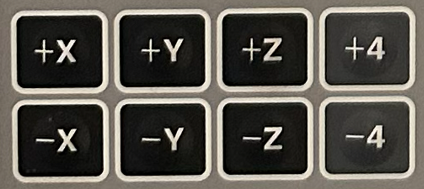
Axis Buttons

More on Brother Manual Mode

The machine has a RELATIVE position display that can be zeroed. This is purely for manual use and the machine ignores it.

Press counter reset soft key. It’s yours, do what you want with it. It’s no one else business.
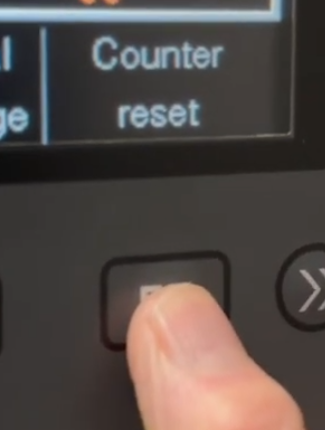
You can now move to each axis and zero it or press “Set all axis to zero”  (F1 soft key)

Brother CNC machine training
Reset X Y Z

CNC Training Centre can conduct all your onsite CNC Training


Edgecam Move Datum

CNC Training Call David: 07834 858 407

30 Five Star Reviews

CNC Training Centre Reviews


Training Course Fanuc Haas Macro Programming

CNC Training Call David: 07834 858 407


CNC Training Centre Reviews

30 five star ratings on Google (Just saying)

Haas Macro Programming

Fanuc Training Onsite


CNC Macro Programming Training Courses

Call David : 07834 858 407

(Suitable for Fanuc, Mazak and Haas Macro Programming)

Duration:          2 days.
Times:               Start 9.30am Finish 4.00pm
Location:          Barwell in Leicestershire.

Apply Now


Price £300 per day

Total £600 2 days

CNC Macro Programming Training Courses

If you want to learn how to use

  • Macro CNC Programming Fanuc
  • Macro CNC Programming Haas
  • Macro CNC Programming Mazak

Most ISO type controls that have Macro use a very similar system.

Follow the link to learn some more about Macro.

Heidenhain Q parameter programming is very similar to Macro CNC Programming for Haas and Fanuc.

Once you have grasped the concept of parametric programming you will find Heidenhain Q parameter programming easy to figure out.

Suitable for Fanuc, Mazak and Haas Macro Programming Lathe and machining centre


Haas, Fanuc or similar controls (ISO Mazak).

Haas Macro Programming   Haas Macro ProgrammingHaas Macro Programming

Make sure you have the Macro option on your control, it’s a real disappointment when you get all excited about this only to find you don’t have the option. Remember if you have a touch probe you will almost definitely have Macro installed on your machine.

Good news is you can buy the option, it don’t come cheap so sit the boss down and make him a cup of tea before you ask.

Haas Macro ProgrammingHaas Macro Programming


CNC Macro Programming Training Courses

What Use Will it Be?

This is where CNC Programming gets really exciting, welcome to the turbo charged world of Macro Programming for Haas and Fanuc type controls. There is so much exciting shit you can do with this I really don’t know where to start.

Write your own canned cycle

Yes you always dreamed of having your own personal G code, you can’t call it like Bill’s G code or something but you may have G271 or something which is personal to you.

Say you wanted a drilling cycle that changed speed half way down a hole or some daft thing well now you can do it.

Make A Set of Similar Parts

Imagine you had a bunch of parts that were similar, maybe the same holes but in different positions or a similar shape.

Haas Macro Programming

You could write a parametric (Macro) programme that would be completely adjustable and would make them all instead of having to keep writing similar programmes.

You can build these programmes and add to them as you get better and better and your ideas flood in.

I always say to students to start simple and build on your experience. Just using Macro in its simplest form will inspire you to go on to do greater things.

Interrogate Your CNC Machine

You can get almost any information you want from the machine.

  • Spindle Speed.
  • Position.
  • Datum.
  • Tool Length.
  • What tool is in the spindle.
  • Put the machine into an alarm state when things go wrong like wrong data is input.
  • And loads more.

You can even modify this information and send it back.

Do Calculations

  • Simple trigonometry.
  • Calculate feeds and speeds.
  • Simple maths.
  • Input formula and get answers.

I’m getting really excited just telling you this. It means you can add all sorts of functionality to your machine that you didn’t have before.


What Skills Will I Learn

  • Basic use of variables
  • Creating simple Macro programmes
  • How system variables work
  • How to write probing Macros
  • Creating your own G Codes
  • Create alarms to make sure your Macro users behave
  • Practical use of Macro
  • Creative use of Macro
  • and more, loads more

CNC Turning M Codes List For Beginners

CNC Training Call David: 07834 858 407

30 Five Star Reviews

CNC Training Centre Reviews

Contact CNC Training Centre


CNC Turning M Codes
CNC turning M Codes

Download CNC Turning M Code List

This is my list of CNC Turning M Codes and you will notice there aren’t many.

That’s because you don’t actually need many.

M Codes are used to turn things on and off on a CNC Lathe. Sometimes known as miscellaneous functions.

A typical M Code would be M03 which would start your spindle forwards.

M04 would be reverse and guess what?

M05 is stop the spindle.

There, you learned three already.

You don’t need the extra zero so I advise you leave it out, program M3 M4 M5.

It really doesn’t matter but….. You could be wasting memory space or wearing out the tips of your fingers.

Here’s what I think about leading zeros.

M codes are the Snow Leopards of CNC Machining

Snow Leopards are Solitary Animals

Snow Leopards only ever get together to mate, they don’t even have a Christmas party or get pissed on a stag night.

With M codes they hate being on the same line of code. If they are then they will fight to the death.

Tigers Playing

Please note no animals were hurt in the making of this post.

There are exceptions to this rule, M Codes that is, but please don’t overload yourself with this at the moment.

Just trust me.

The first one in the block usually wins but I can’t  guarantee it. So you could get some crazy shit happening.

M8 G0 X50. Z2. G97 S1500 M3;

You wouldn’t even get an alarm on most controls and it may just obey the first M Code it sees and ignore the last one.

The other thing to note with M Codes is that it makes no difference where they are in a block of code.

So if you put your M Code at the front of a block of code.

M3 G97 S1500;

Or the end.

G97 S1500 M3;

The spindle will start according to the logic of the machine not where the M Code is in the block of code.

The Boring CNC Turning M Codes

That’s my list of M Codes the rest are really boring doing stuff like changing gear ranges and stuff.

Download CNC Turning M Code List

Sorry I’m being flippant again.

CNC Turning M Codes Where Are The Rest?

Sorry you can’t have them. The reason for this is that they are different depending on what machine they are on.

CNC Turning M Codes
Hand Em Over

For example this beast is a Mazak Megaturn

CNC Turning M Codes
Mazak Megaturn

It Has a Gearbox.

To change gear you program M41 M42 and M43 for the different gears

M40 is neutral. Now on machines with gearboxes they do normally use these same M Codes.

However they can be different.

M10….. mmmm well that’s normally a clamp.

I think you get the picture. It is up to the machine tool builder.

It is best to get a specific set of M Codes from your machine manual.

The manual by the way is that book that nobody ever reads, it’s usually at the bottom of a bent up old filing cabinet.

Please Don’t Read It

I’ll read it for you then charge you a shit load of money for training.

Click here for CNC Training

Joking aside please don’t be arsed to learn a load of M Codes you will probably never use.

Some M codes That “Might” be Useful

Open Chuck                         (Might be M11)

Close Chuck                         (Could be M10)

Parts Catcher Up               (Mmmmm)

Parts Catcher Down         (No idea)

Well Commented Programs

Try to put M Code descriptions in your program. That way you won’t need to keep looking them up. A part transfer on a CNC Lathe is a good example, there are an absolute shit load of em.

They are everywhere. If you put a meaning to each one in brackets it will make proving the program out really easy. Oh and if you have a CAM system then change your post processor to output them for you.

M11 (OPEN CHUCK)

M10 (OPEN CHUCK)

etc etc

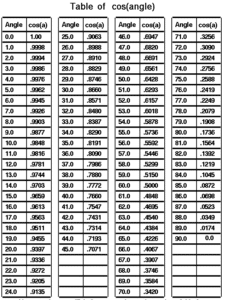
I once had a boss once who actually learnt sines and cosines of angles.

Cosines of Angles

Holy shit I mean it’s fuckin impressive and I must add in the 1970’s  it was actually worth doing because we didn’t even have calculators. We just had bits of paper, pencils and Ford Capris.

The Market Online Classic Car Auctions

Mine was just like this but mine was a P reg three litre, vinyl roof handled like a cow on a march. Very fast at the time. Dream car, loved it.

Hope you enjoyed reading my article on CNC Turning M Codes.

Please remember that it keeps me occupied and while I’m writing these articles I am not holding you up in the supermarkets queue trying to find a coupon for 10p off my incontinence briefs.

Download CNC Turning M Code List


Edgecam Tutorial Assemblies and Filters

CNC Training Call David: 07834 858 407

30 Five Star Reviews

CNC Training Centre Reviews

Contact CNC Training Centre

Edgecam Tutorial Assemblies and Filters

Edgecam Part Modeler is once part of the Edgecam suite of programmes. You can create solid models very easily with Edgecam Part Modeler from simple line drawings.

You can move straight into Edgecam from Edgecam Part Modeler and start machining your component.

The brilliant thing is that through associativity you can alter the model and Edgecam will immediately know that you altered it in Part Modeler.

It will then allow you to automatically update the Edgecam programme to suite. Anyway watch my video on associativity

Edgecam Tutorial Assemblies and Filters

The video below is about how you can build assemblies. This could be something like a fixture with all its bolts and clamps.

This could be one complete assembly and you could move it around and do all sorts of things to it as a single unit.

You can also have sub-assemblies which are assemblies inside assemblies.

Edgecam Tutorial Assemblies and Filters

The great thing is that if, for example, you make a clamp, a bolt and a nut as a single assembly, when you get into Edgecam and you need to move them over a bit you can easily move them in one go as a single unit.

All you would have to worry about is filling in the hole you left behind and creating a new one in the new position.

Edgecam Tutorial Assemblies and Filters

It’s really easy to drag and drop bits or full assemblies around. That means you can take a part and move it into a different assembly very easily.

“Read More”

Careers in CNC

View all current vacancies in CNC

Click here

Call David: 07834 858 407