Day: March 18, 2026

How to Make a Program Active Fanuc 0i-TF

Onsite Training Enquiry

CNC Training Call David: 07834 858 407


CNC Training Centre Reviews

30 five star ratings on Google (just saying)

Why do You Make a Program Active Fanuc 0i-TF?

In order to run or edit a program on a Fanuc control you first need to make it active. On a Fanuc control you are editing in real time so you don’t need to save your work. Unfortunately any edits you make are permanent.

You will need your keyswitch in the on position to allow any kind of editing

In the off position below you will not be allowed to edit

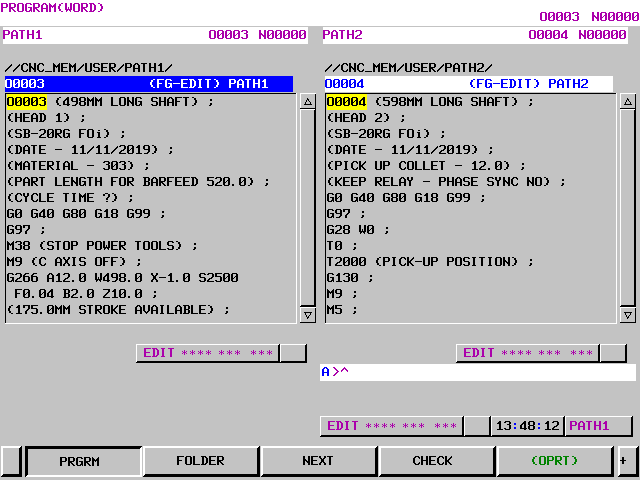
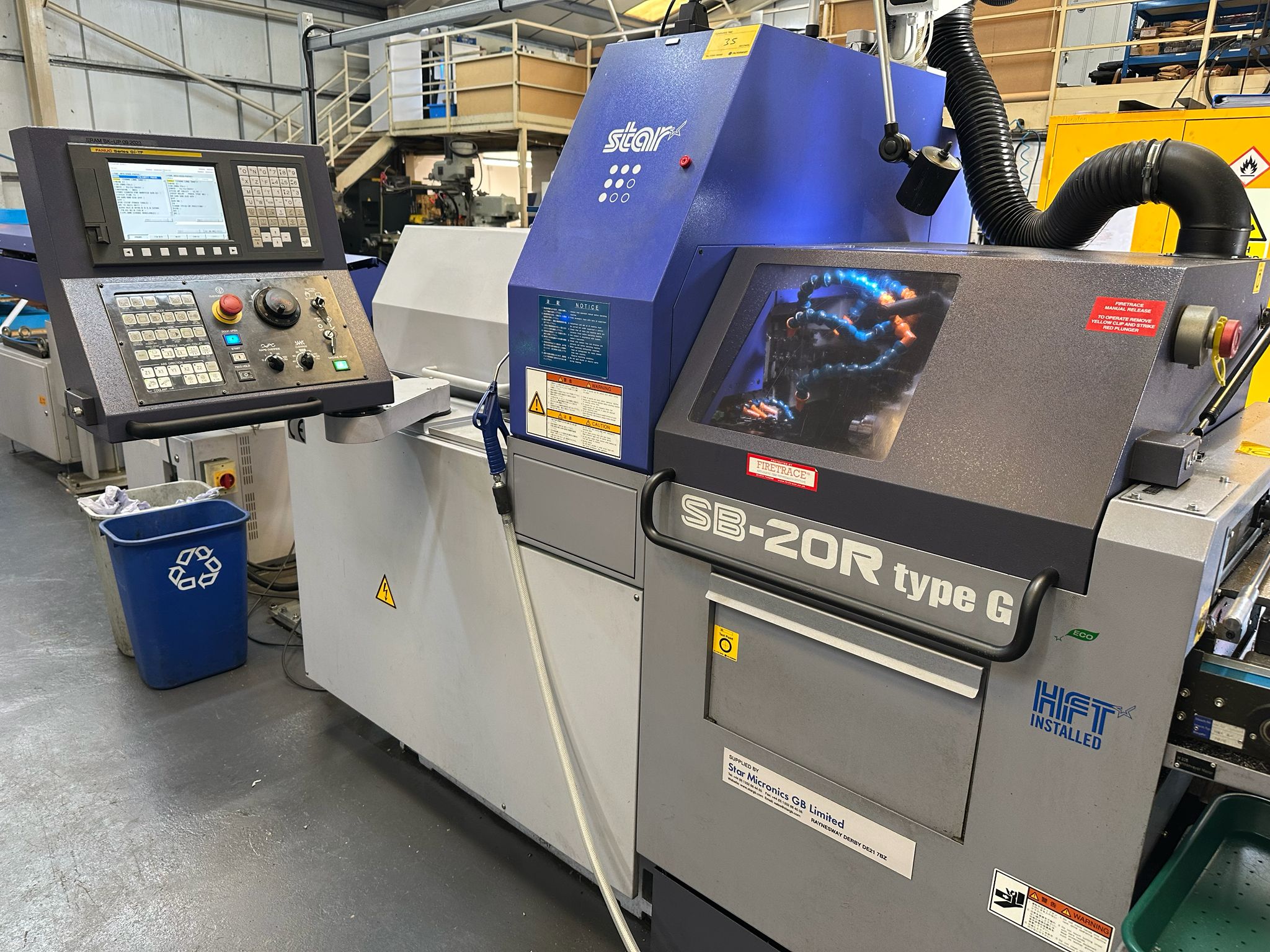
This step-by-step guide shows how to Make a Program Active Fanuc 0i-TF control, specifically on a **Star SB-20R Type G** sliding head lathe, which uses a dual-path (two-channel) setup.
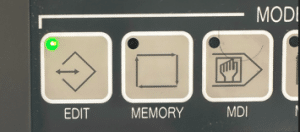
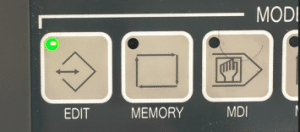
First of all you need to be in the EDIT mode.

how to Make a Program Active Fanuc 0i-TF

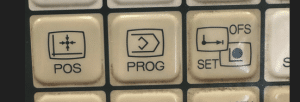
Press PROG to view your program.

How to Make a Program Active Fanuc 0i-TF

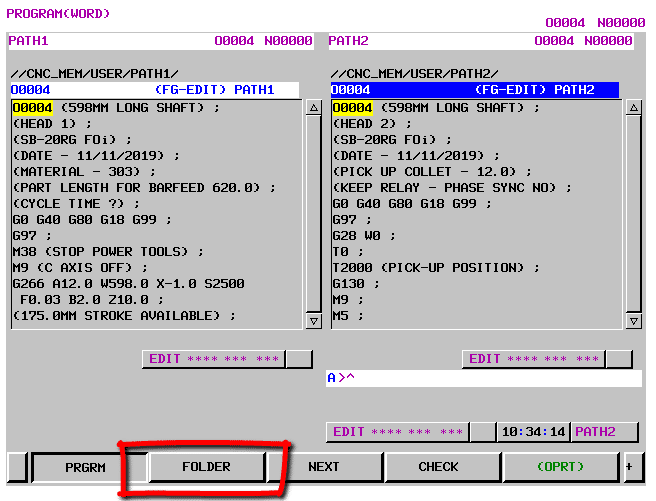
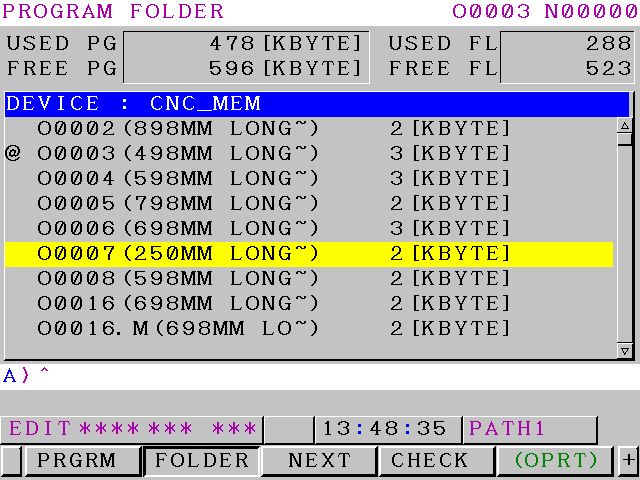
Now press FOLDER to see a list of programs.

How to Make a Program Active Fanuc 0i-TF

Use your cursor to move down to your program.

How to Make a Program Active Fanuc 0i-TF

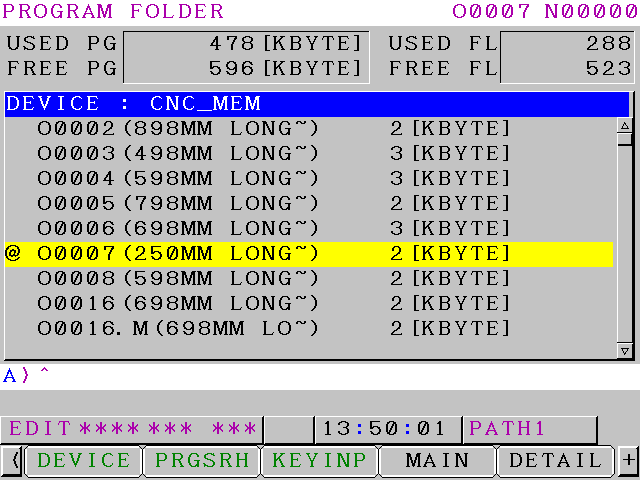
Press the OPRT for more options

Now press MAIN to make your program active

How to Make a Program Active Fanuc 0i-TF

The @ or “at” symbol means this is the active program. Program O0007 is now your active program.

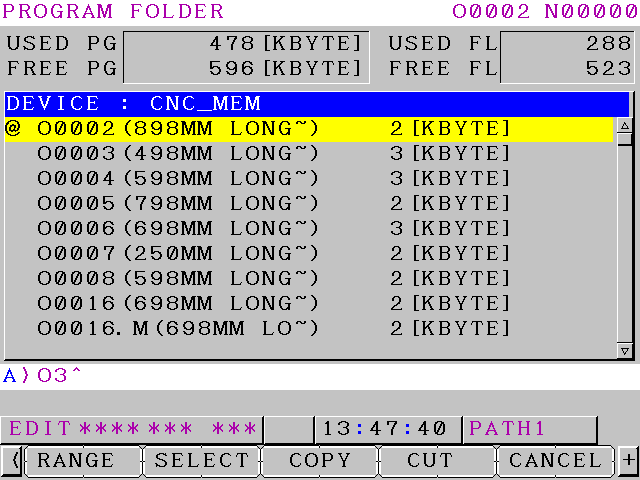
Another way is to type in the number of the program you want to make active O3 or O0003 for program 3

Press your lower or upper arrow keys and this will become active

How to Make a Program Active Fanuc 0i-TF

Program 3 will now be displayed and is your active program.

Learn loads more Fanuc stuff on this website


How to Copy programs Fanuc 0i-TF

Why Copy your programs?

Copy programs Fanuc 0i-TF, it is often necessary to duplicate (copy) an existing CNC program on your machine—for creating variations, backups, testing modifications, or transferring to another program number without starting from scratch.

This step-by-step guide shows how to copy a program on a **Fanuc 0i-TF** control, specifically on a **Star SB-20R Type G** sliding head lathe, which uses a dual-path (two-channel) setup.

backup programs Fanuc 0i-TF

Copy programs Fanuc 0i-TF

Be sure the USB is plugged in. Refer to this article if it is not setup.

Edit

First thing we need is to get in the EDIT mode.
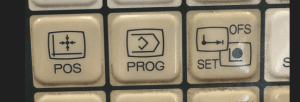
Then press your PROG button.
Your program will now be displayed.

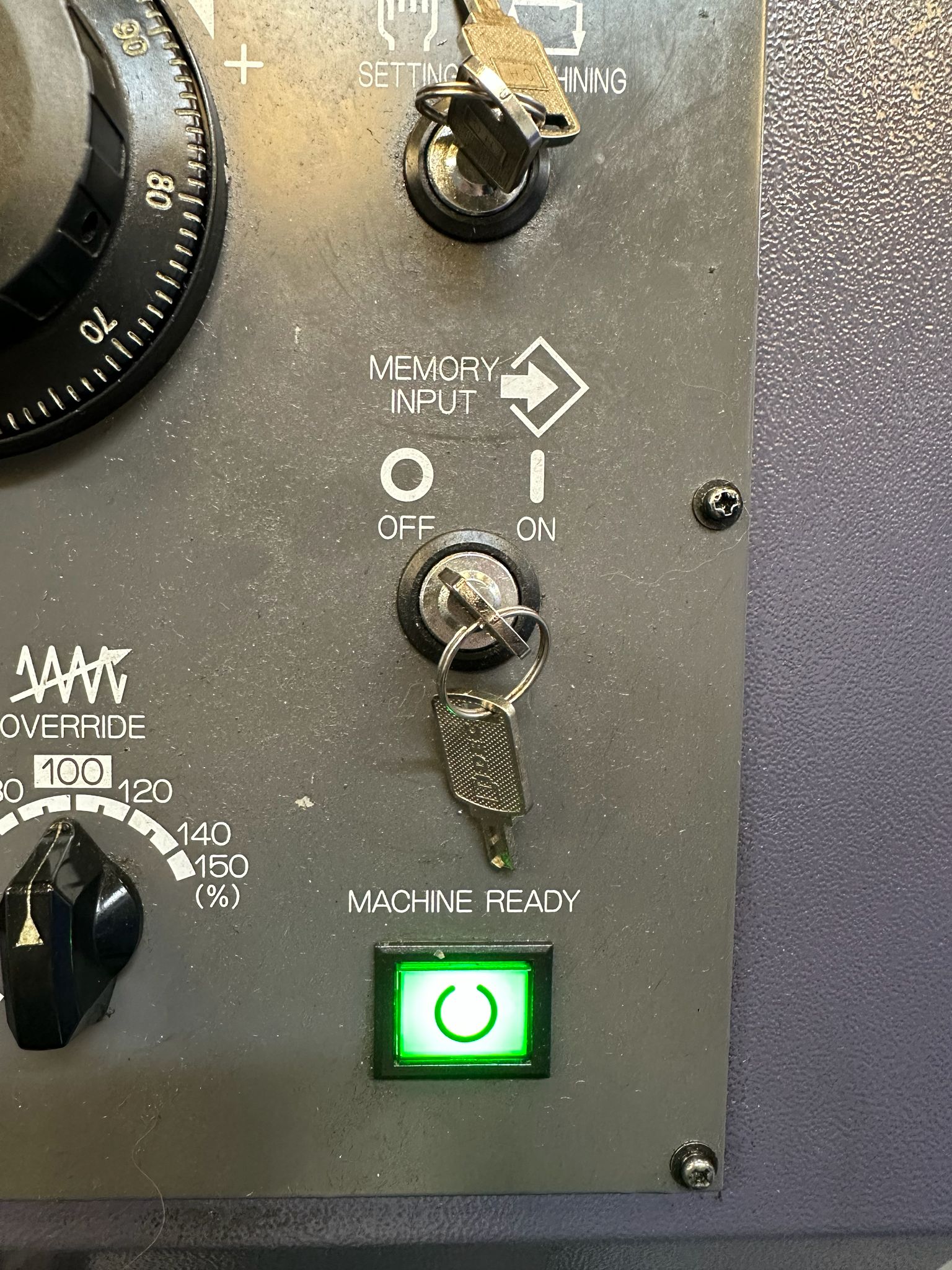
You will need your keyswitch in the on position to allow any kind of editing
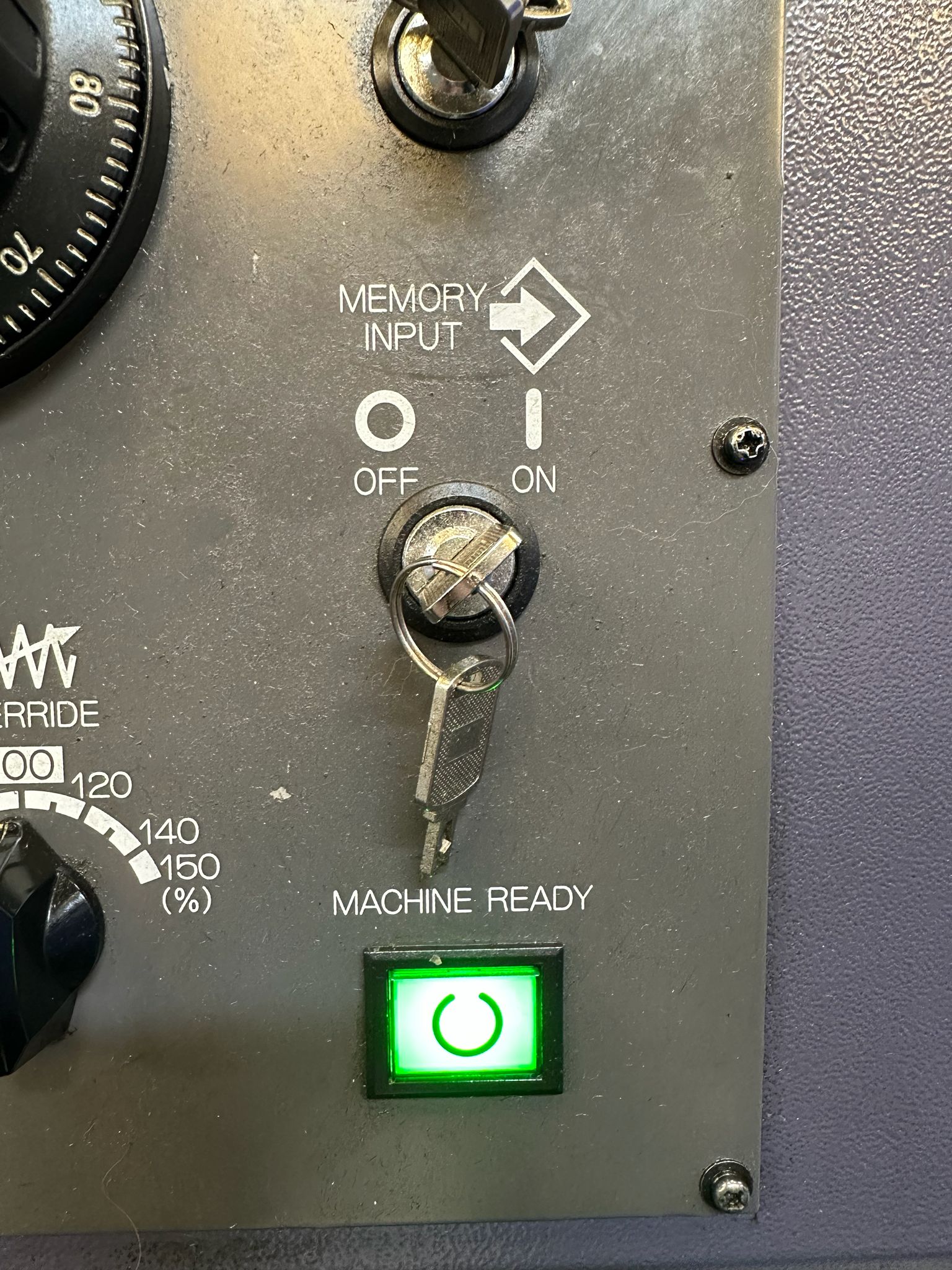
In the off position below you will not be allowed to edit
Copy programs Fanuc 0i-TF

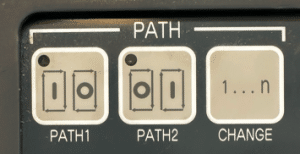
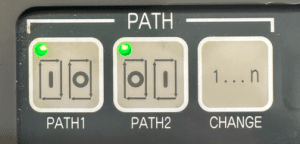
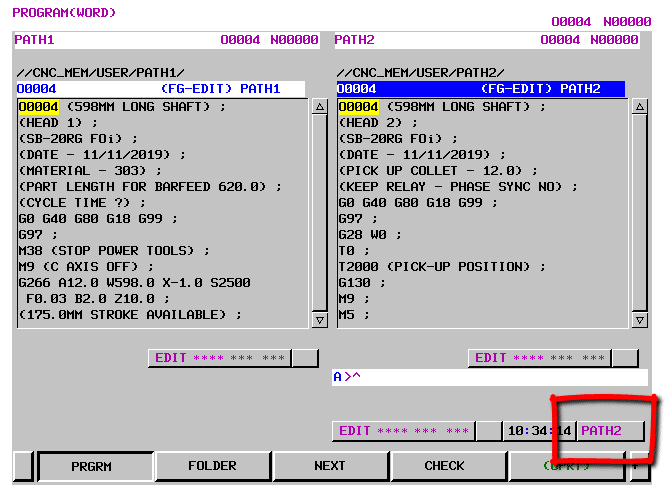
Because this machine is a sliding head machine running two simultaneous channels you have to sect a path.

First of all turn off the path buttons.
backup programs Fanuc 0i-TF

Just press them. The path (channel) you are on will highlight in blue on the screen. It will also show in the right hand corner.
Copy programs Fanuc 0i-TF

Press this button to switch from one path to the other.
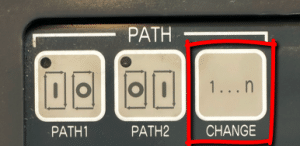
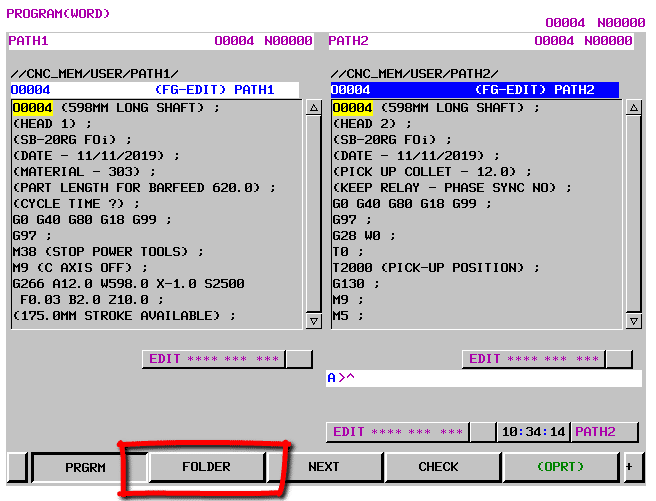
Don’t forget that this machine has two independent sets of programs so each path will have its own programs.

Now press FOLDER to display the programs.
backup programs Fanuc 0i-TF

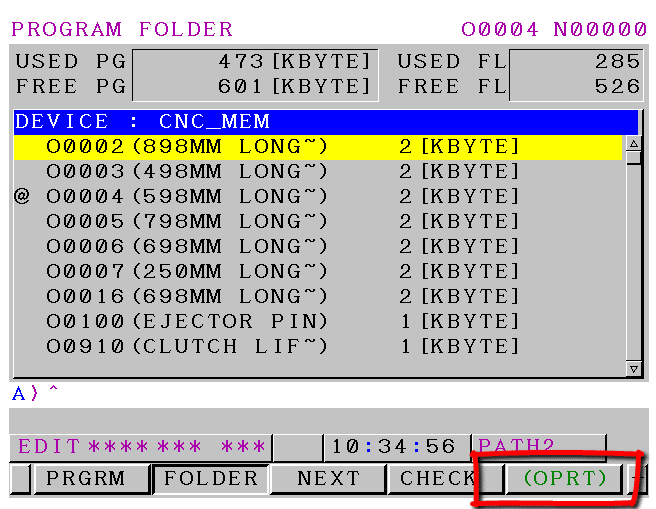
Cursor up and down to find the program you want to copy. Press OPRT for more options.
Copy programs Fanuc 0i-TF

You can now press the green SELECT button to give you the selection choices.
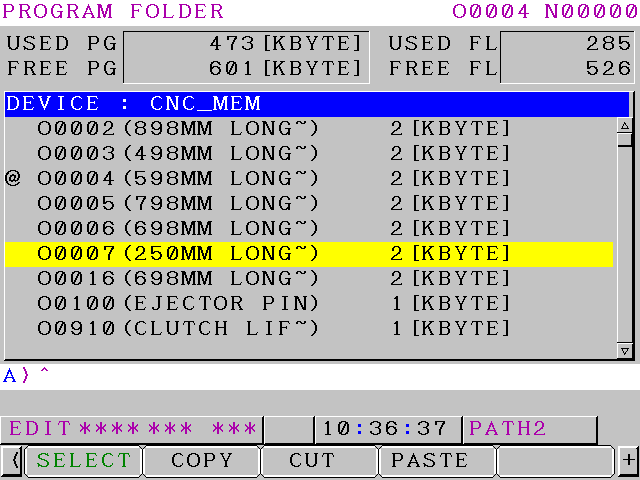
If you move up or down you will see that your program is highlighted in blue. You can use the RANGE button if you want to copy more than one program for example to a USB stick.
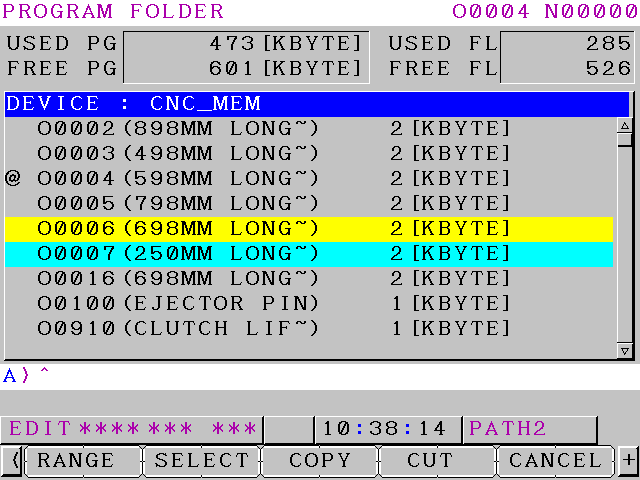
You now need to press COPY and this will put your program onto the clipboard.
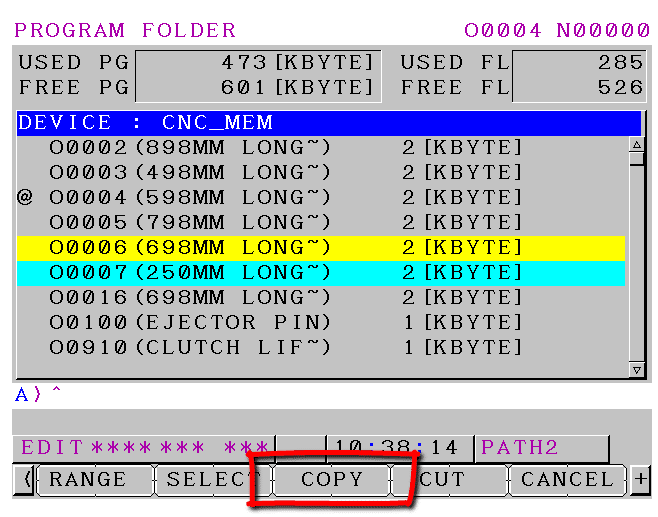
backup programs Fanuc 0i-TF

Copy programs Fanuc 0i-TF

You can now type in the number of the program you need to copy it to. In this example its program O2222
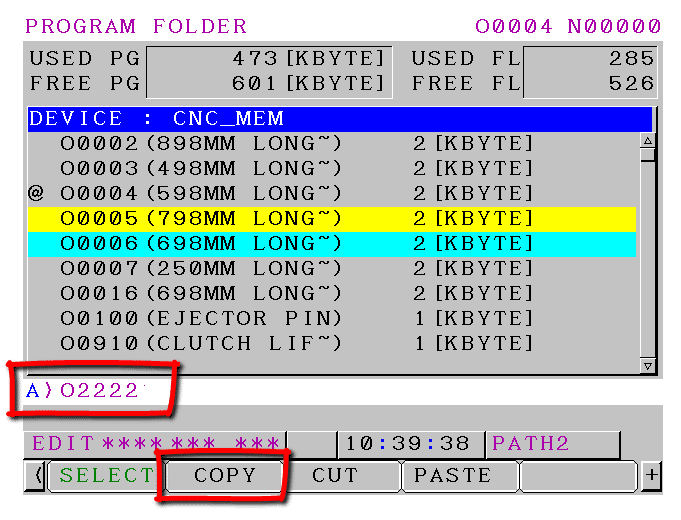
If you move your cursor down you will see your new copied program.
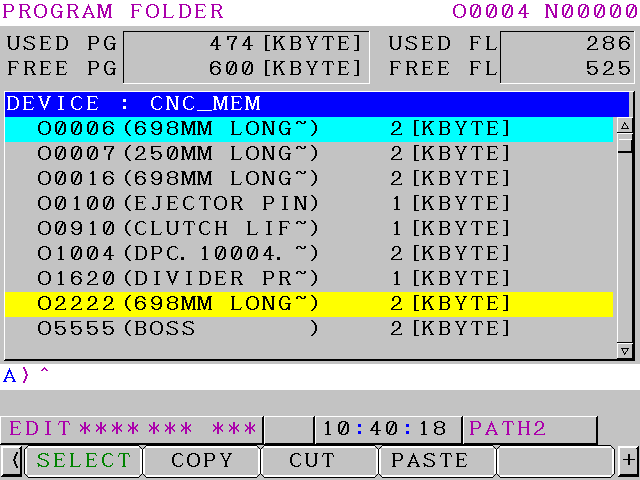
backup programs Fanuc 0i-TF

Quick Checklist:

How to Copy/Duplicate a CNC Program on Fanuc 0i-TF (Star SB-20R Sliding Head Lathe)

– **Preparation**
– Ensure USB is inserted and recognised (if needed for backup).
– Switch machine to **EDIT** mode.
– Never do this during machining (AUTO or MDI active).

– **Select the Correct Path (Channel)**
– Press **PROG** to show programs.
– Turn off any active path highlights (press path buttons if lit).
– Check top-right corner or screen highlight for current path (blue = active).
– Toggle path button to switch between Path 1 and Path 2.
– Confirm correct path—programs are separate per path!

– **Access Program List**
– Press **FOLDER** soft key to view program directory.

– **Select Program to Copy**
– Cursor to desired program (e.g., O1234).
– Press **OPRT** (Operation) soft key.
– Press green **[SELECT]** soft key—program highlights in blue.
– (Optional: Use **RANGE** for multiple programs.)

– **Copy to Clipboard**
– Press **COPY** soft key.

– **Create Duplicate**
– Cursor down to empty area or new line in directory.
– Type new program number (e.g., **O2222**).
– Press **PASTE** (or equivalent paste/execute soft key—may be under extended menu).
– Refresh/scroll—new program appears.

– **Verify & Finish**
– Cursor to new program number → Press **INPUT** or **PROG** to open and check contents.
– Test/simulate if needed before running.
– Repeat for other path if required.

**Pro Tips**
– If alarm occurs (e.g., invalid number), re-type new O-number carefully.
– For USB copy: After COPY, use device change to USB → PASTE there (reverse for import).
– Always back up originals—dual-path machines like Star SB-20R keep programs isolated per channel.


Memory Card on a Fanuc Control PCMCIA

Memory Card on a Fanuc control, today I’m being totally selfish so please don’t read this article, it’s just for me.

I had this idea a while back. Every time I find something on a machine that I might forget, I would write a post about it.

Easy, when I google something it’s me.

Quick Fix

Setting page input 4 for memory card 17 for USB

Memory Card on a Fanuc

CNC Training Call David: 07834 858 407


CNC Training Centre Reviews

30 five star ratings on Google (just saying)


In fact I get really pissed off now if I google something to do with CNC machines  and I don’t find my own article.

These are things I don’t want to forget but usually do.

Now I don’t mean stuff like shitting at the back of someone’s filing cabinet or nicking the soap out of the toilets.

No no no I mean stuff like Fanuc Parameters that I might forget or little tricks n tips on some obscure control.

I  mean sometimes I just want to forget everything but we wont talk about that in case you do want to use me for training.

I know I’m old and decrepit but in fact I’ve always had a bad memory.

I’ve always lost things. My mate used to say to me “you’d lose your bollocks if they weren’t in a sack”

He was a Brummie and he had a way with words (bless you Roy if you’re out there).

Where the fuck did this idea come from that Brummies are thick? My mate Eddie had this incredibly sharpe witt. Oh and he could fix anything, many a time I called him out to fix my old mini van.

It broke down everyday so I relied on him quite a lot.

I mean posh people break down in their cars and don’t have a fuckin clue what to do. I mean if you were on a dessert island who would you want with you Jacob Rees-Mog and Boris Johnson or my two mates Eddie and Roy.

I mean Eddie would build you a raft in 20 minutes and Roy could build a mud hut quicker than DIY SOS. Oh and he could fish too so you’d have a hot meal.

Boris would be reciting Shakespeare and Jacob would be reading from the bible and asking for his butler.

As much as I like Shakespeare (I have all their records)

Stuck on a dessert island, first thing I’d want is a hot meal and then I’d want to fuck off on a raft back to Barwell..

“Read More”

Careers in CNC

View all current vacancies in CNC

Click here

Call David: 07834 858 407