

Star SB-20R Parts Counter Screen Fanuc Oi TF
Category : New Stuff

CNC Training Call David: 07834 858 407

30 five star ratings on Google (just saying)
Operator Training beginners to Macro programming.
Star SB-20R Set Parts Counter
This machine is a sliding head CNC Lathe it runs two simultaneous programs. This article shows you how to set the parts counter screen to your required number of parts.
It also shows how to reset back to zero after your parts have been completed.
The machine is a Star SB-20R sliding head.
In your program an M20 tells the counter to add one part to its counter, there it is in yellow on the left hand screen.
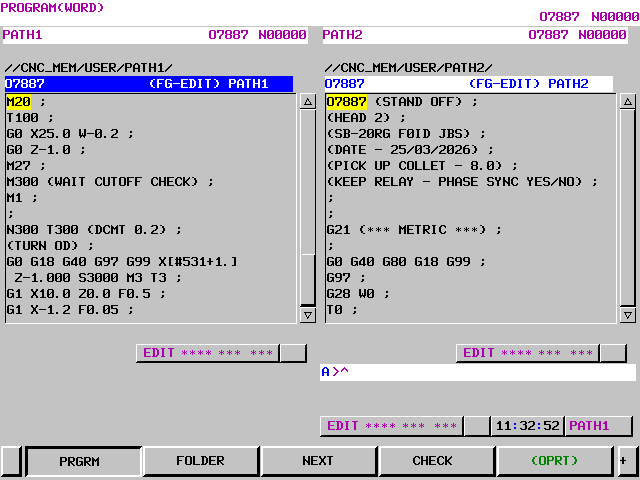
Now press your CSTM GRPH key

This is the page you want to see.
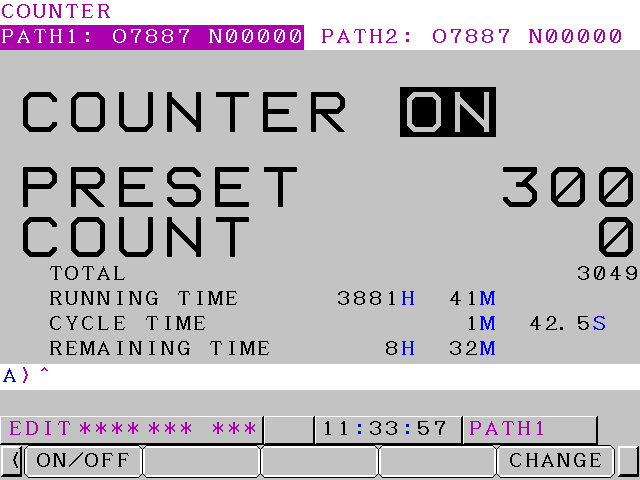
You may need to press the green OPRT button below to find the screen.
Star SB-20R Set Parts Counter
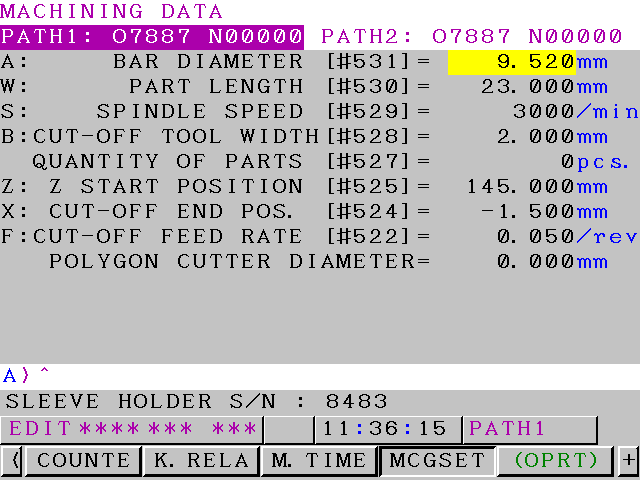
Press COUNTE and you’ll get to this.
Press the ON/OFF key to switch counter on and off.
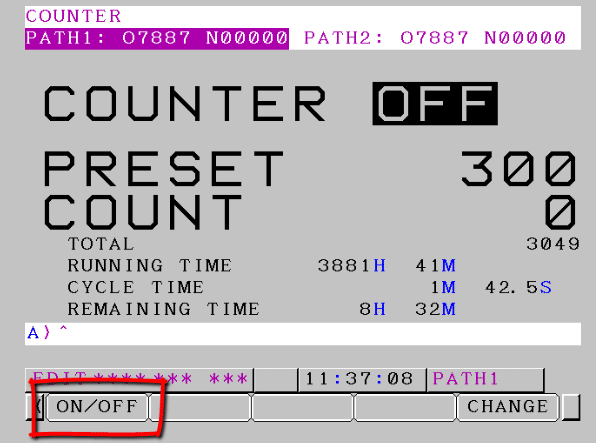
In the off position the M20 will not count your parts.
Star SB-20R Set Parts Counter
To alter the PRESET or COUNT press the CHANGE soft key.
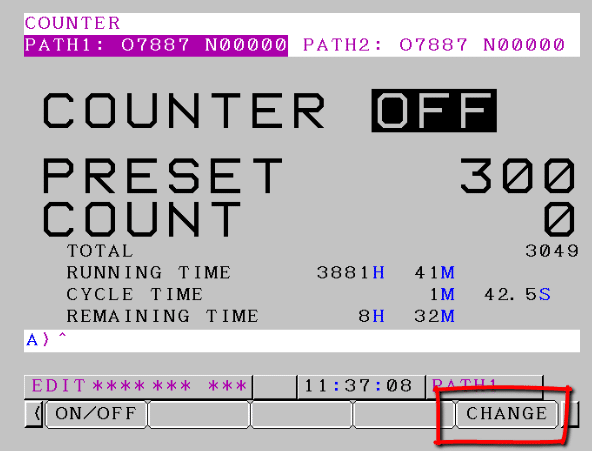
Now you can cursor to PRESET or CONT and they will turn yellow.
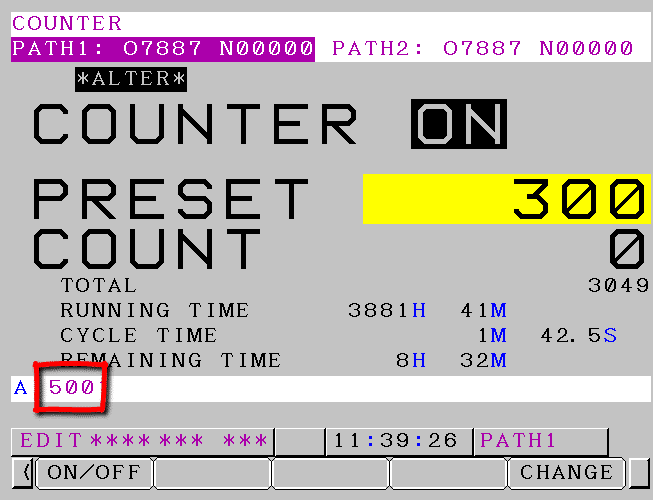
Above I am inputting a value of 500, key this in and press INPUT.
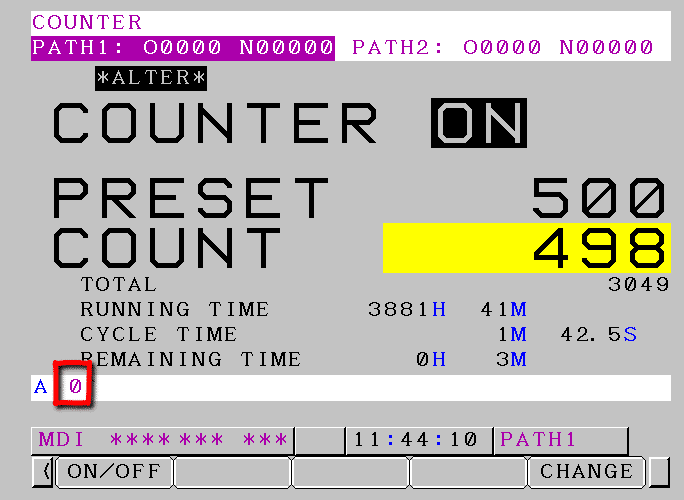
Input zero to the counter to completely reset it. You can also put in a preset value. The COUNT must be at least two less than the PRESET or you will get an alarm.