Brother CNC Training
Category : Brother
Brother CNC training. This is a Brother TC-32B and you want one.

It has a 26 tools and it can change em quicker than shit can fly off a stick. The rapid is cheetah speed.
You can get the real numbers but I don’t need to see em, I know it’s bloody quick. If this was a car it would be a McClaren.

This dial is your friend so use it if you want to keep your job.
Pallets

Oh and it’s got two pallets and each one has a rotary table (4th axis)
As usual on this job I learnt a lot of new stuff. I already knew this little beast but I always like to dig just a little bit deeper and glean just a bit more info.
Program restart, now there’s a thing I didn’t even know it was so good. I am always on about Haas program restart but this little baby is just as good.
Another simple thing that I really love on this machine is that you can open the door whenever you want.
“So fuckin-what” you say. Hear me out here please. What I mean is, when you are running a program you can just open the door and have a look inside. Yes it just stops the spindle.
Now why don’t all machines do that? So simple but really really useful.
If you need to piss on the night shift, no long trips to the toilets, just open the door and fire away.

Imagine if you were doing 70 on a motorway in your car and you could just open the door and get out, very convenient. Please note, wear a high viz if your thinking of trying this.
Call David: 07834 858 407

Change Pallets
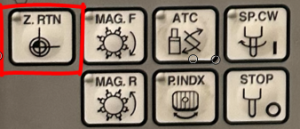
Pallet change manually is so simple just press this button.

It just whizzes round. Don’t worry about it hitting the tool. Your Brother has you covered, he just moves the Z axis up to zero return ready for you. All part of the one press.
MDI, Brother CNC machine operation
A very nifty thing in MDI is at the press of a button it will show you your last command, and the one before and the one before that…….
This machine has had a lot of thought put into it’s interface. Take manual tool change as an example. It has this simple button.

Each time you press it shit happens.
- Tool goes to zero.
- Unloads tool.
- Changes tool.
- closes the door.
Incremental jog is cool
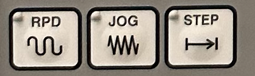
This machine has incremental jog. I bloody love incremental jog. So useful when setting up.
I never actually use it but it’s just nice to think I can if I want to. Bit like my running machine.

That’s me the surgery deffinately worked.
Adjust from this screen

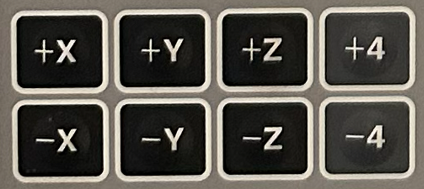
And use these arrows to get different increments.

Now press the axis button to move the axis in steps.

There you go I knew you’d like it.
On this screen you can also set your rapid moves and your spindle speed. No more stupid MDI input.
Annoying
Now I know they are probably doing this for my own good and one day I might says thanks, you saved my life but I am sorry I fuckin hate these buttons.
First press Completion mode

The press cancel w/saving changes

When you edit n stuff you have to tell it you want to leave the screen and keep the edit “of course I fuckin do”
In all fairness to Mr Brother I suppose if you changes your mind you might wanna revert back. Mmmm the jury’s out.
Sorry but this is annoying. I mean you might love it. I wont argue with you, your doctor told me not to.
Don’t really like to bang on too much because I have fallen in love with this machine, it’s beautiful, it’s gorgeous.
This one has Blum probing, that is table probe and spindle probe. Nice to have but I wish it had a user interface to make it really simple instead of keep altering programs n shit. Another minor grumble. Maybe it was just the original buyer who was too mean to pay a bit more for it. Who knows.
Program copy is easy although the buttons are a bit confusing
Well at least it’s got it I know some machines of this age don’t.
Search is quite good just press this. Oh and it remembers your last search so that’s useful too.

These buttons quickly take you to the top and bottom of program.

Decent size memory too is another plus.
More Brother CNC machine Operation
Pallet System
This has been well simplified and I like it.
Chose from none, pallet one on its own, pallet two on its own or both.

Then just tell it what program goes with what pallet.
Brother CNC training, Easy peasy.
It also has a good manual tool measuring system if you didn’t have a table probe. Store your Z position in a parameter then just touch on your manual probe and get the tool length.
Disappointing that they don’t make the tool offsets stay active all the time a la Heidenhain, Mazak and Siemens. This would have been a bit more icing on the already hyperglycaemic well sugared cake.
Still love it, just a few niggles.
Saving Programs
Saving to a memory stick is easy so that’s another plus. I also has your memory stick menu on the right side of the screen to easily access it when putting programs into the machine.
No Screen Shots
I love my screen shot, never mind David, suck it up, it just can’t do it. Anyway don’t grumble when the screen pictures in this post are shit. It’s because i had to take em all with my iPhone.
Loading Tools, Brother CNC machine operation
Easy access from the side of the machine. You can easily flick them out with a special tool. Unfortunately some twat lost mine and i have to use a screwdriver but never mind. It’s a nice light BT30 holder.
Rename Program
Can’t see a way of doing this other than to copy it to another name and then delete. Bit convoluted but needs must.
What Program Am I Using
This is a nice touch, it highlights in green all the programs in use, including sub programs.
Brother CNC training, give us a call